Shorts thumbnails: where they appear and how to make them (October 2026)
Shortsmith team · Updated
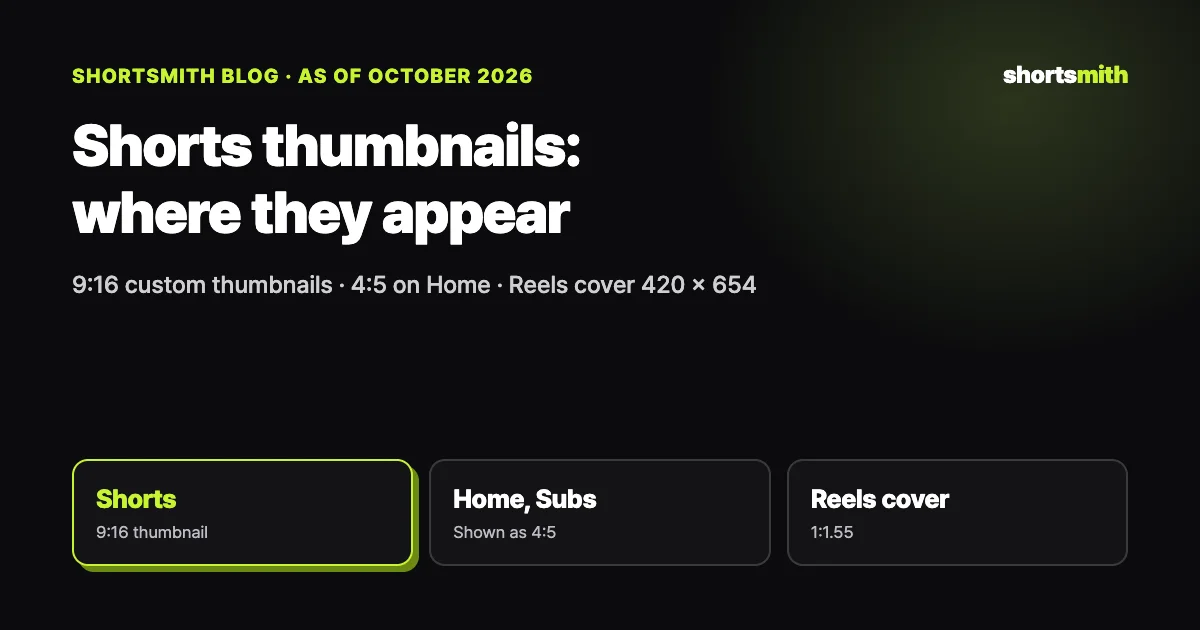
It’s easy to think Shorts don’t need thumbnails because they play instantly in the feed, but on your channel page, in search results and on Home, the thumbnail is the first thing viewers see. YouTube lets you add custom Shorts thumbnails in YouTube Studio on a computer; the account must be verified, and 9:16 is recommended. On Home, Explore and Subscriptions, a vertical video’s 16:9 thumbnail is replaced by an auto-generated 4:5 one, so design for 9:16 vertical from the start.
We checked YouTube Help’s “Add custom thumbnails on YouTube” and Instagram Help Center’s “Reel size & aspect ratios on Instagram” on October 19, 2026, and explain Shortsmith’s thumbnail styles.
Thumbnail specs, at a glance
| Item | YouTube Shorts | Notes |
|---|---|---|
| Adding a custom thumbnail | YouTube Studio on a computer, verified account | Mobile app: pick a frame |
| Recommended ratio | Shorts 9:16 (regular videos 16:9) | A 16:9 thumbnail on a vertical video becomes 4:5 on Home etc. |
| File | JPG or PNG, up to 50 MB on desktop | Daily upload limit per channel |
| Instagram Reels cover | 420 × 654 px (1:1.55) recommended | Can’t edit the cover after posting |
Where Shorts thumbnails show up
Viewers swiping through the Shorts feed see the video directly, with no thumbnail. But on your channel’s Shorts tab, in search results and in Shorts shelves on Home and Subscriptions, the thumbnail comes first and decides whether people tap. When a first-time visitor scans your Shorts tab, mismatched thumbnails make the channel look untidy.
According to YouTube, if you upload a 16:9 custom thumbnail for a vertical video, Home, Explore and Subscriptions show an auto-generated 4:5 thumbnail instead, while your custom one appears on the watch feed, watch history and non-mobile platforms. Make Shorts thumbnails 9:16 and keep the key text and faces within the central 4:5 area, and they’ll hold up wherever they’re shown.
How to add a custom thumbnail
Custom Shorts thumbnails can currently be added only in YouTube Studio on a computer, and your channel must be verified. Select the Short in Content and upload an image in the thumbnail field of its details. Use JPG or PNG, up to 50 MB on desktop, and note there’s a daily limit on how many custom thumbnails a channel can upload.
In the mobile app you can choose a frame from the video. Without a designed image, pick the frame where the result is clearest or an expression is strongest. Using the same scene as the first second helps people recognize the video across the feed and your channel page.
Thumbnail text that reads
A thumbnail has to be read in half a second in a small tile. Keep text to two lines of a few words each and color only the one word you want to stress. Rather than repeating the title, if your title is a question, answer it in the thumbnail with its key word or a single number.
Put the ending in the thumbnail and people have less reason to watch. Say what happened, like “Won in the final 1.2 seconds,” but leave how it happened inside the video. Using one font and color across your channel makes the Shorts tab look tidy at a glance.
Keeping your Shorts tab tidy
First-time visitors scan your Shorts tab from the top. If every thumbnail uses a different font, color and text position, it’s hard to tell what the channel is about. Pick one font, one highlight color and one text position and use the same frame on every Short, and the Shorts tab itself introduces your channel.
If you run a series, add a series mark like “EP.3” or “Today’s moment” in the same spot on each thumbnail so viewers can find the next one. Keep it small; a mark bigger than the key text buries the text.
The effect of a thumbnail change shows first in views from your channel page and search. Check those in YouTube Studio’s traffic sources and compare a few weeks before and after changing your thumbnail frame. Views from the Shorts feed depend more on the opening shot than on thumbnails.
Choosing the thumbnail frame
The frame you use should be recognizable in a small tile. A shot where one thing is large, like a face, a hand or the ball, beats a wide shot with many people. A clear expression conveys the video’s mood even without text.
Avoid blurry or motion-smeared frames; a moment that looks fine in motion often looks soft as a still. Very dark frames are hard to see in a small tile too, so lean toward a brighter one.
When the thumbnail frame matches the opening shot, viewers who tap from your channel page see what they tapped for and aren’t let down. A sensational frame that only appears in the thumbnail makes more people swipe away as soon as the video starts. The thumbnail should honestly show what the video promises.
Shortsmith thumbnail styles
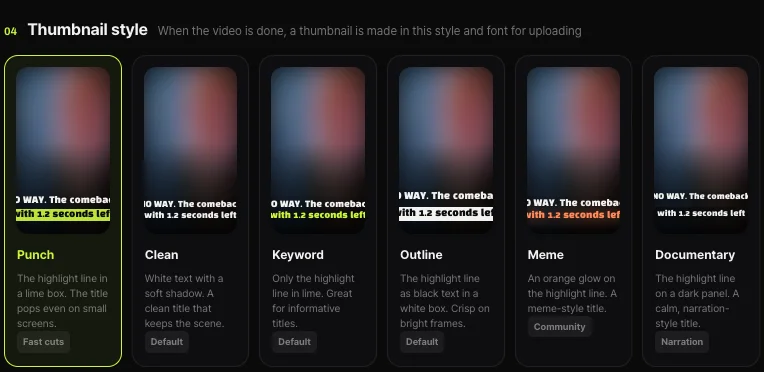
When a video is done, Shortsmith makes a thumbnail in the style and font you chose and uses it when uploading. There are six styles: Punch (the highlight line in a lime box), Clean (white text with a soft shadow), Keyword (only the highlight line in lime), Outline (black text in a white box), Meme (an orange glow on the highlight line) and Documentary (a calm title on a dark panel), plus eleven fonts such as Black Han Sans, Nanum Square, Do Hyeon and Jua.
Pick one style and one font per channel and your Shorts tab builds up with a consistent look. Keyword or Clean suit informative channels, Meme suits community and meme-toned channels, and Documentary suits calm storytelling.
FAQ
Can I change a Short’s thumbnail?
Yes. Verified accounts can add a custom thumbnail in YouTube Studio on a computer; in the mobile app you can pick a frame.
What ratio should Shorts thumbnails be?
YouTube recommends 9:16. A 16:9 thumbnail on a vertical video is replaced by an auto-generated 4:5 one on Home, Explore and Subscriptions.
What’s the file size limit?
JPG or PNG up to 50 MB on desktop, with a daily limit on custom thumbnail uploads per channel.
What size is an Instagram Reels cover?
420 × 654 px (1:1.55) is recommended, and you currently can’t edit the cover after posting.
Should the thumbnail give away the ending?
No. Say what happened and leave how it happened inside the video.
When does Shortsmith make the thumbnail?
When the video is done, in the style and font you chose, and it’s used when uploading.
How do I make series thumbnails?
Fix the font, color and text position, and put a small series mark like “EP.3” in the same spot each time.
Sources
- Add custom thumbnails on YouTube — YouTube Help · checked
- Reel size & aspect ratios on Instagram — Instagram Help Center · checked