Turning long videos (streams, podcasts, shows) into Shorts: the editing formula
Shortsmith team · Updated
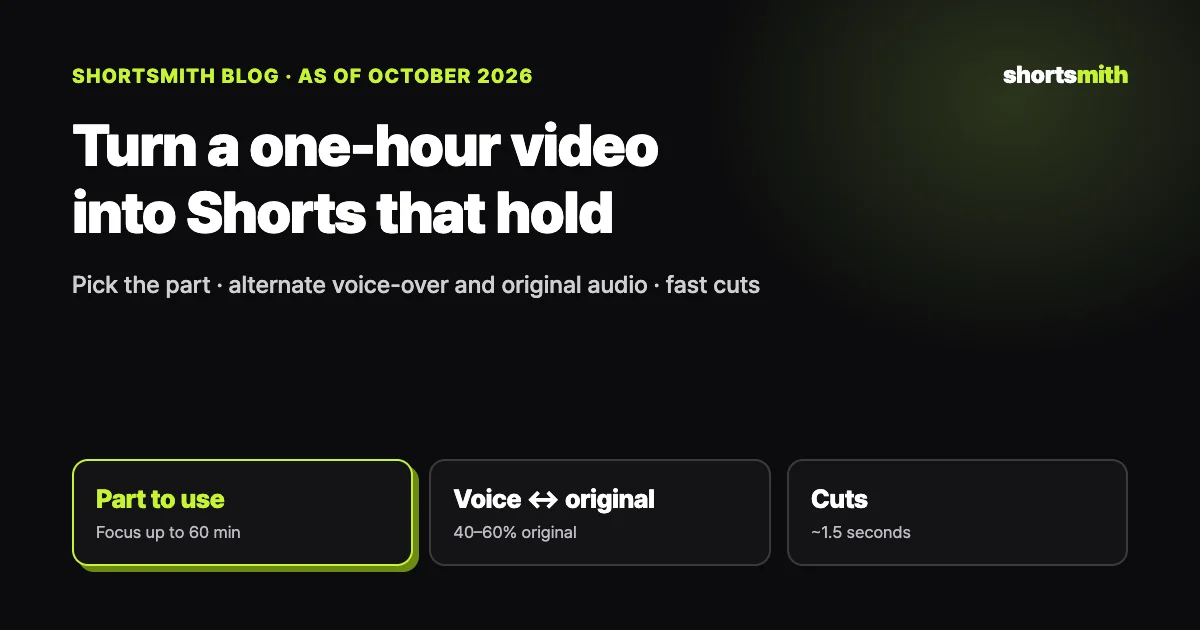
Turning a one-hour stream, podcast or show into Shorts comes down to three things: narrow down the part you use first, let a short voice-over line build the bridge while the laughs, reactions and key lines play in the original audio, and change shots about every 1.5 seconds while the voice-over runs. A 55-second Short built this way carries around 230 characters of narration in Korean (roughly 70–90 English words), and close to half of it is original audio.
The Shortsmith team wrote this from our own analysis of 60 popular commentary Shorts (the 40 most-viewed and 20 most recent from one channel) on October 14, 2026, plus the timings we measured the same day while making a Short from a 60-minute gaming stream. YouTube’s Shorts length and reused-content rules were checked against the YouTube Help Center the same day.
Why do most Shorts made from long videos feel flat?
The most common mistake is the “recap”: retelling everything that happened in order and laying narration over every second, so viewers barely hear the people on screen. Our first script from that 60-minute source ran 64 seconds with 292 characters of narration, and original audio made up only 32% of it. Each line was 35–45 characters long and kept relaying what people said (“then he said…”, “the caption reads…”).
Popular commentary Shorts do the opposite. The 60 we analyzed run about 55 seconds with an average of 230 characters of narration, 10–20 characters per line. The voice-over only says what hands over to the next moment (“…and then”, “…until”), and the laughs and reactions are left in the original sound. Viewers learn what is happening from the narration and how funny or surprising it is from the original audio.
Step 1 — narrow down the part you use
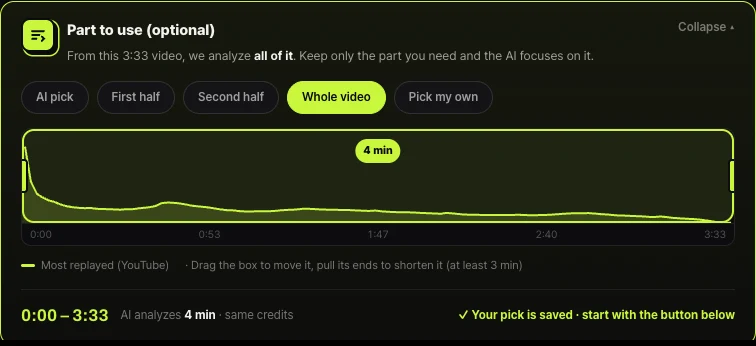
Watching a full hour to pick moments takes forever, and even AI analysis takes longer on a longer source. Use the “most replayed” graph on YouTube, the spots where chat and comments pile up, and chapter markers in the description to narrow the part first. Picking scenes gets faster and unrelated moments stop sneaking in.
In Shortsmith, any video longer than one minute shows a “Part to use” panel. Choose AI pick, First half, Second half, Whole video or Pick my own, or drag the box across the replay graph and pull its ends in (at least three minutes). Sources longer than 60 minutes can be up to three hours long, and only the 60 minutes you pick are analyzed. Narrowing the part does not change the credits.
Step 2 — decide the one-line story first
Before picking scenes, write the story in one line: who → was doing what → and what happened. For a gaming stream, that might be “the main character was chased by the police → lured them to the water → and they all fell in at once.” Moments outside that line, however funny, should go. An hour-long stream mixes several events, and without one throughline viewers can’t follow the Short.
The hook, your first sentence, states the core event of that line in about 16 words or fewer, like “Seven cops just fell into the water at once in this game.” It should tell viewers what happened right away while making them wonder how. Mixing two stories into one hook weakens it.
Step 3 — alternate one voice-over line with the original audio
The body repeats “one voice-over line → the original audio.” Each line is one sentence of about 12 words or fewer covering one action or situation, and the next original-audio clip should answer it. For example, the narration says “The police close in to arrest him,” and the player shouts “Wait, you’re all coming for me?” If the narration says the line before we hear it, the fun is gone.
Give the decisive moment 5–8 seconds of uncut original audio, and keep the line right before it to a short cue such as “And then—” or “Right then.” End with one line that lands the result or reaction, or a question specific to this video. Generic endings like “What do you think?” fit any video and land with nobody.
| Item | Typical script | Popular commentary Shorts (60 analyzed) |
|---|---|---|
| Narration total | ~290 characters in 60 s, nonstop | ~230 characters in 55 s |
| One line | 35–45 characters, relays dialogue | 10–20 characters, one action or situation |
| Original audio share | about 30% (one climax) | 40–60% (alternating with narration) |
| Shot length | about 4 seconds | 1.4 seconds on average (4 of 6 measured) |
| Ending | “What do you think?” | one reaction line or a specific question (42%) |
Step 4 — cut every ~1.5 seconds, but keep speech whole
We measured shot changes in six of those Shorts, and four of them cut every 1.3–1.6 seconds on average. While narration plays, change the angle or the moment every one to two seconds, even within the same scene, so the picture never looks frozen. Original-audio clips are the opposite: don’t cut until the sentence ends, or there was no point keeping the original sound.
Captions are easier to read in one place. Shortsmith puts the voice-over captions and the translated captions for foreign-language speech in the same spot under the video, white for narration and yellow for what people on screen say. When the source and the script share a language, the original speech plays without captions.
How long does a one-hour source actually take?
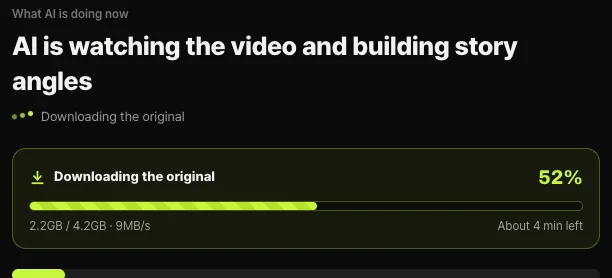
Measured on Shortsmith’s server with a 60-minute 1080p gaming stream (4.3 GB): about four minutes to fetch the source, tens of minutes for transcription, scene detection and scene reading, then 1 min 12 s to 1 min 19 s for the script after picking an angle, and about six minutes to render the 59-second Short, including 23 seconds of voice-over. Analysis time scales with the source length, so narrowing the part speeds it up.
While the source downloads, the progress screen shows how much has arrived, the speed and the time left, and the time until analysis finishes is estimated from the source length. You can close the window; the server keeps working and the bell notifies you when the angles are ready.
Length and rules — 3-minute Shorts and reused content
Since October 15, 2024, YouTube classifies vertical or square videos up to three minutes as Shorts. Shorts over one minute with a Content ID claim used to risk being blocked, but since September 24, 2026, new Shorts between one and three minutes keep playing even with an active claim. Still, 50–58 seconds is the sweet spot for commentary Shorts people watch to the end.
When you cut from someone else’s long video, YouTube’s reused content policy matters too. Clips stitched together without meaningful commentary or real editing are not eligible for monetization. Adding your own narration and story structure, as in this formula, is also how you stay within those rules. The details are in the post below.
FAQ
How many Shorts can I make from a one-hour video?
One per event with its own throughline. After analysis, Shortsmith shows several different angle cards, and picking more than one makes a separate video for each angle.
Doesn’t less narration hurt monetization?
What counts is meaningful commentary, not word count. Narration that sets up the story, links the scenes and adds context makes your editing clear even when the original audio carries the reactions.
Do I need captions for the original audio?
For a foreign-language source, translated captions are what make it understandable. When the source and script share a language, Shortsmith leaves those captions out so transcription errors never appear on screen.
What length works best?
Shorts can run up to three minutes, but commentary Shorts work best at 50–58 seconds. Most of the popular Shorts we analyzed were 45–59 seconds long.
Analysis is taking a long time. Is it stuck?
A 60-minute source takes tens of minutes to analyze. If the current step and time left on the progress screen keep changing, it is working, and the server keeps going even if you close the window.
Sources
- Understand three-minute YouTube Shorts — YouTube Help · checked
- YouTube channel monetization policies (reused content) — YouTube Help · checked
- Upload YouTube Shorts — YouTube Help · checked