AI voice-over for Shorts: which voice to pick (October 2026)
Shortsmith team · Updated
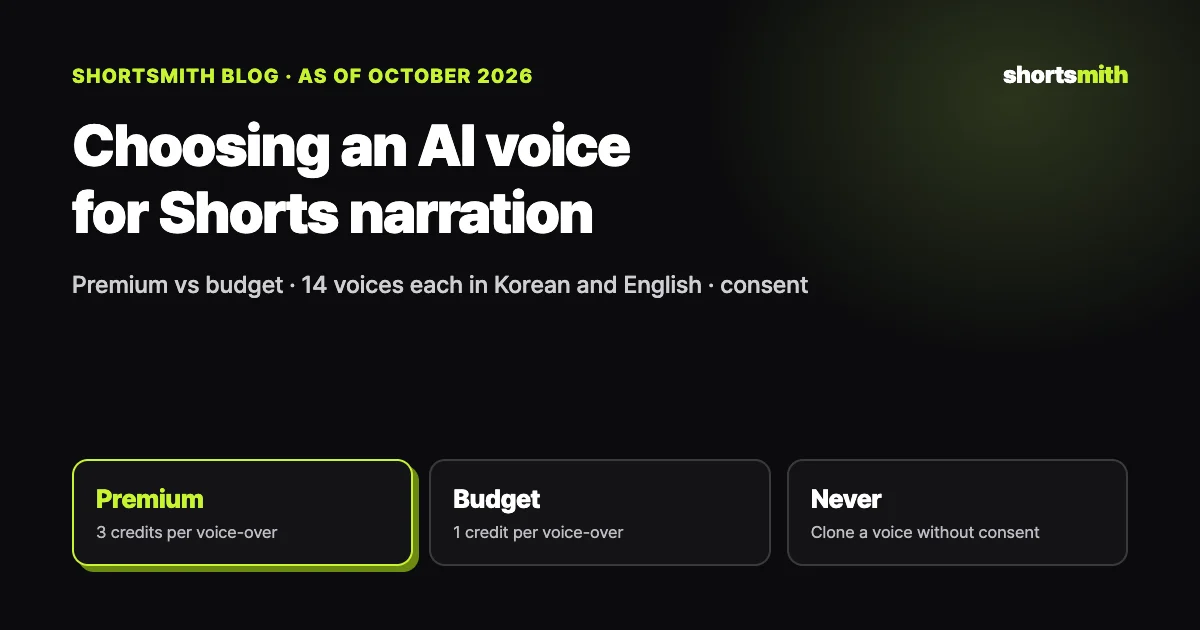
Pick a Shorts narration voice to fit the video’s mood and length, and always compare candidates reading the same line. Shortsmith offers 14 voices each in English and Korean: 8 expressive premium voices (3 credits for voice-over) and 6 plainer budget voices (1 credit). Ready-made AI voices are fine to use; imitating a real person’s voice without permission is not.
This guide follows Shortsmith’s voice picker as of October 18, 2026, together with YouTube’s “Disclosing use of altered or synthetic content” (checked October 13) and ElevenLabs’ Prohibited Use Policy (October 9 revision, checked October 18).
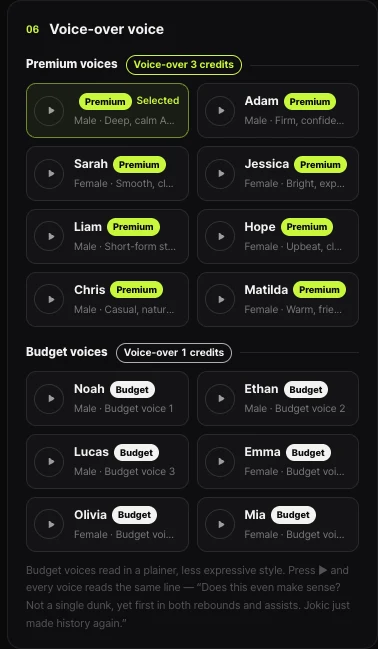
Premium voices vs. budget voices
| Premium voices | Budget voices | |
|---|---|---|
| Count (per language) | 8 | 6 |
| Voice-over credits | 3 credits | 1 credit |
| Delivery | Expressive and natural | Plainer, less expressive |
| Reading speed control | Adjustable in the editor | Fixed speed |
| Good for | Stories, entertainment, sports commentary | Explainers, recaps, short notices |
Three things to weigh when picking a voice
First, the mood of the video. Entertainment and reaction videos suit a bright, quick voice; incident stories and documentary-style videos suit a lower, calmer one. Second, your audience. The same story may need a different voice for a channel watched mostly by teens and twenty-somethings than for one watched by people in their thirties and forties. Third, consistency. If the voice changes every video, viewers struggle to remember the channel, so settle on one or two and stick with them.
Compare voices reading the same line. In Shortsmith, press ▶ on any voice card and every voice reads the same sentence, so the difference is obvious. Each name is labeled with gender and character, such as “Male · Deep, calm,” which narrows the shortlist quickly.
Delivery and pace often matter more than the voice
Even a good voice turns fast and stiff when the script is long. Keep each narration line short and alternate it with the original audio from the people on screen, and the voice sounds far less robotic. AI voices often misread numbers and unusual names, so spell them the way they’re said in the script or check them in the preview.
With premium voices, the editor’s reading speed control can let AI change the pace to match each scene’s emotion, or you can set it scene by scene. Budget voices read at a fixed speed, so control pace with sentence length. For Korean videos, choose Korean as the voice-over language from the start so the script is written in Korean too and sounds natural.
Listen before you post: first line, last word, volume
Before rendering, listen to at least the first and last lines. The first line is your hook and must be the clearest, and if the last word trails off, the video feels unfinished. If you don’t like an intonation, rewording the line slightly and listening again is faster than switching voices; a single comma or word order change alters the delivery.
Check the balance between narration, background sound and original audio too. Narration much louder than the original audio jumps out at every scene change; too quiet and it disappears on a phone speaker. Lower the original audio under narration and rest the narration during original-audio scenes so the two don’t collide. Shortsmith writes scripts that alternate narration and original audio to reduce this.
- Numbers and unusual names are read correctly
- The first line (hook) ends in about two seconds
- The last word isn’t clipped or mumbled
- Narration doesn’t overlap original-audio scenes
- The voice matches your channel’s other videos
Using English and Korean voices together
To post the same video in Korean too, switch the voice-over language to Korean and make another version. The script is written in Korean from the start rather than translated from English, so it sounds natural. Korean also has 8 premium and 6 budget voices, so you can choose one close to the voice your English channel uses.
When the source is in another language, let translated captions carry what the people on screen say and let narration in your own language tell the story. If the source language matches the voice-over language, translated captions don’t appear. Rather than one voice switching between languages, choose a voice per language so both channels stay consistent.
If you’re targeting viewers in another country, write that version’s title and description in their language and use their number and unit formats. A video with only the voice localized leaves viewers unsure who it was made for.
Voices you can use, and voices you can’t
YouTube says using AI for production help such as scripts or titles doesn’t need disclosure, and a typical Short narrated with a ready-made AI voice usually doesn’t either. But making a real person say something they didn’t, in their voice, counts as realistic altered or synthetic content that must be disclosed, and can raise right-of-publicity issues.
Voice providers say the same. ElevenLabs’ Prohibited Use Policy requires a living person’s explicit consent to clone or imitate their voice, and bans impersonating politicians and building voices of anyone under 18. Under Shortsmith’s terms, when you post output made with budget voices you must disclose the AI voice, for example with the platform’s AI label.
In short
Narrating with a ready-made AI voice: fine. Cloning your own voice for narration: fine, it’s yours. Imitating a celebrity’s, politician’s or friend’s voice: not without their consent.
FAQ
Do I need an AI label if I narrate with an AI voice?
On YouTube, narrating with a ready-made AI voice usually doesn’t need disclosure. Imitating a real person’s voice saying things they didn’t does. Shortsmith’s terms require disclosure when posting output made with budget voices.
What’s the difference between premium and budget voices?
Premium voices are expressive, support reading speed control and cost 3 credits for voice-over. Budget voices read plainly at a fixed speed and cost 1 credit.
Are there Korean voices too?
Yes. Korean has the same 14 voices (8 premium, 6 budget), and choosing Korean as the voice-over language writes the script in Korean from the start.
Can I make Shorts with an AI imitation of a celebrity’s voice?
No. Imitating a real person’s voice without consent is banned by both platform policies and voice providers’ policies.
Can I change the voice later?
Yes. Change the voice in the editor and render again. For channel consistency, we recommend sticking with one or two voices.
Are budget voices free?
No. They run on an open model on our own servers, so voice-over costs 1 credit instead of 3. They’re less expressive, which suits informative videos.
Sources
- Disclosing use of altered or synthetic content — YouTube Help · checked
- Prohibited Use Policy — ElevenLabs · checked