Fan funding from 500 subscribers: how to turn on Super Thanks, channel memberships and Super Chat (October 2026)
Shortsmith team · Updated
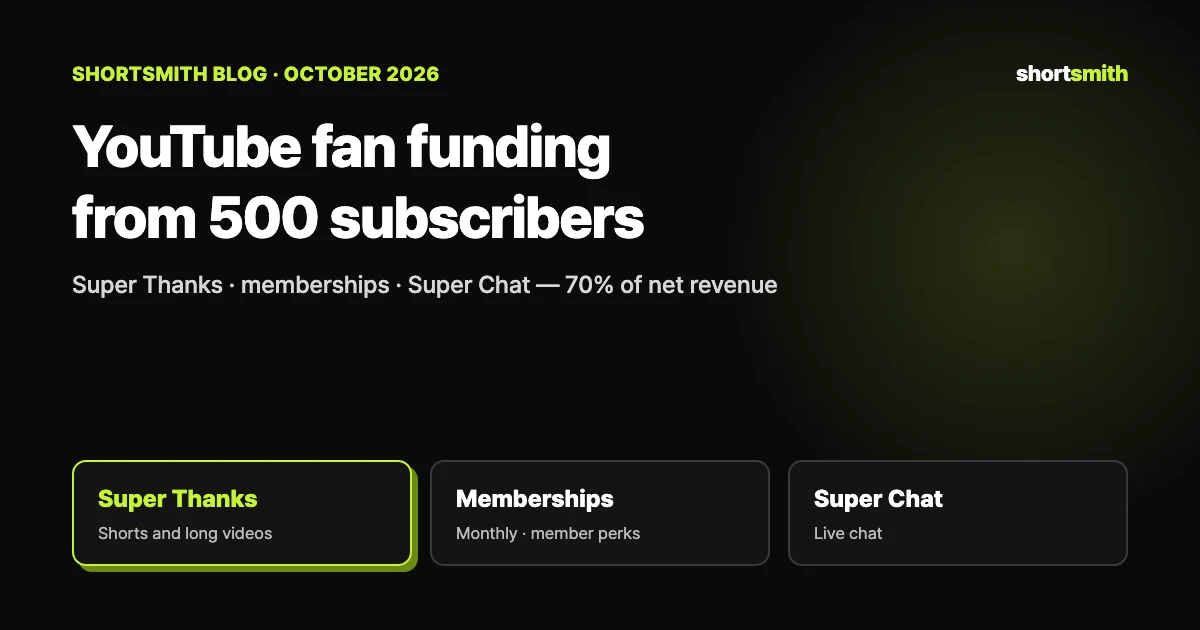
YouTube’s fan funding features — Super Thanks, channel memberships, and Super Chat and Super Stickers — let viewers pay creators directly. In countries with the expanded YouTube Partner Program, you can apply once you have 500 subscribers, 3 valid public uploads in the last 90 days, and either 3 million valid public Shorts views in the last 90 days or 3,000 valid public watch hours in the last 12 months. Creators receive 70% of the net revenue from these features.
We checked YouTube Help’s “YouTube Partner Program expansion overview,” “Super Thanks eligibility, availability, & policies,” “Turn on & manage Super Thanks,” “Get started with channel memberships” and “YouTube partner earnings overview” on October 24, 2026.
At a glance: four ways viewers can pay you directly
If your channel is Shorts-only, the features you can use right away are Super Thanks and channel memberships. Super Chat and Super Stickers work in the live chat of live streams and Premieres, and Jewels and gifts work during eligible creators’ vertical and horizontal live streams.
| Feature | Where | What the viewer does |
|---|---|---|
| Super Thanks | Shorts and long-form videos | Buys a one-time thank-you animation plus a highlighted comment |
| Channel memberships | The channel | Pays monthly for member perks such as badges and emoji |
| Super Chat and Super Stickers | Live stream and Premiere chat | Highlights a message or sends an animated sticker |
| Jewels and gifts | Vertical and horizontal live streams | Buys Jewels to send gifts |
Eligibility: it opens before ad revenue does
Fan funding opens at a lower bar than ad revenue sharing (1,000 subscribers plus 4,000 watch hours in 12 months or 10 million Shorts views in 90 days). In eligible countries you can apply for the expanded program when you meet either of these:
- 500 subscribers + 3 valid public uploads in the last 90 days + 3,000 valid public watch hours in the last 12 months
- 500 subscribers + 3 valid public uploads in the last 90 days + 3 million valid public Shorts views in the last 90 days
The baseline requirements still apply
Follow the channel monetization policies, live in an eligible country, turn on 2-Step Verification for your Google Account, and have one active AdSense for YouTube account to link. Reviews usually take about a month.
Super Thanks works on Shorts too
Super Thanks (formerly Viewer Applause) is a one-time animation a viewer buys to show appreciation for a video. Only the buyer sees the animation, and as a bonus they can post a distinct, colorful comment in the comments section. Viewers choose from several price points. Once turned on, it appears on all your eligible past and future Shorts and long-form videos.
Your channel can’t be set as made for kids, and some music channels (such as those with SRAV agreements) aren’t eligible. Super Thanks also doesn’t appear on every video. It is not available on:
- Age-restricted, unlisted or private videos
- Videos set as made for kids
- Videos with a copyright claim
- Videos with a YouTube Giving Fundraiser
- Live streams or Premieres in progress (available once archived as long-form video)
- Videos with comments turned off
Reply with a Short
You can answer a Super Thanks comment with a Short using the comment sticker. In the YouTube app, tap the option to create a reply Short under that comment; the fan gets a notification that you replied.
Turning it on: Studio → Earn → Supers
To earn from Super Thanks you first accept the Commerce Product Module. On a computer, follow the steps below. On mobile, open the YouTube Studio app, tap Earn at the bottom and then the Supers card; once set up, Super Chat and Super Stickers also appear on eligible live streams and Premieres.
- Sign in to YouTube Studio on a computer.
- In the left menu, click Earn, then the Supers tab. It only appears if your channel is eligible.
- Click Get started and, if it’s your first time, sign the Commerce Product Module.
- Turn on the Super Thanks switch.
Turning it off
In the same Supers tab, switch Super Thanks off, tick the box confirming you understand the effect, and click Turn off. It disappears from all Shorts and long-form videos, and you can still review past earnings.
Channel memberships: recurring support
Channel memberships let viewers join your channel with monthly payments and get members-only perks such as badges and emoji. On top of the fan funding minimums, your channel must not be set as made for kids and must not have a significant number of ineligible videos, such as made-for-kids videos or videos with a music claim.
You can design perks freely, but the policies rule out the following — including perks offered outside the membership window:
- Download files of content available on YouTube, such as music
- Offline one-on-one meetings
- Perks given to a random subset of members, such as contests, lotteries or raffles
- Perks that target or are inappropriate for children, or that encourage children to ask parents to join
Pause mode
If your channel violates the monetization policies, loses monetization or is set as made for kids, memberships go into pause mode. If it isn’t resolved within 120 days, the membership program ends, you lose all members, and their last monthly payment is refunded from your share.
How much you earn and how you’re paid
Once you accept the Commerce Product Module and turn on fan funding, YouTube pays you 70% of net revenue from channel memberships, Super Chat, Super Stickers and Super Thanks. For Super Thanks, the 70% is calculated after taxes and fees (including App Store fees on iOS); YouTube currently covers transaction costs such as credit card fees.
Fan funding is paid out through AdSense for YouTube, exactly like ad revenue: finalized on the 7th–12th, checked against the payment threshold on the 20th, paid on the 21st–26th, with the same US tax info requirement. See the amounts in YouTube Analytics under Revenue, in the “How you make money” card, by selecting Supers.
| Revenue source | Creator share |
|---|---|
| Memberships, Super Chat, Super Stickers, Super Thanks | 70% of net revenue |
| Watch page ads (long-form) | 55% of net revenue |
| Shorts feed ads | 45% of the allocation from the Creator Pool |
Fan funding needs fans first — keep posting with Shortsmith
People pay when they want to support a channel, and that comes from repeatedly enjoying its videos. Even the entry bar — 3 uploads in 90 days and 3 million Shorts views — rewards steady posting. Remember too that Super Thanks needs comments turned on and videos that aren’t made for kids or under a copyright claim.
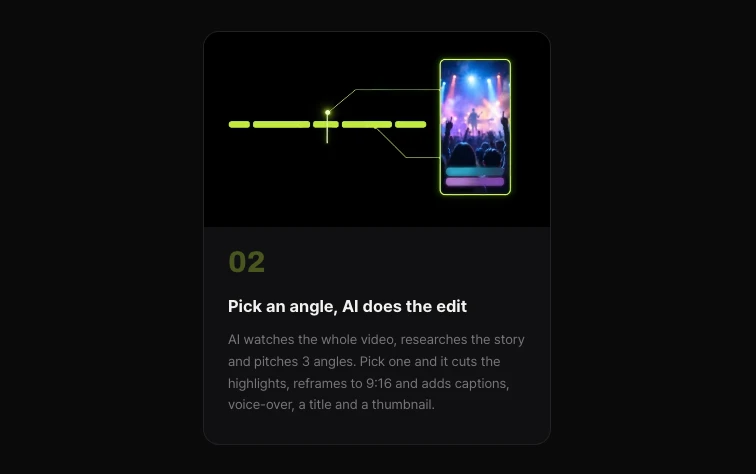
Shortsmith watches a long video from start to finish, researches the backstory on the web and pitches three story angles. Pick one and it cuts the highlights, reframes to 9:16 and adds captions, voice-over, a title and a thumbnail in one go, making it easier to keep a weekly batch of Shorts ready.
FAQ
Can I get Super Thanks on Shorts?
Yes. Super Thanks works on both Shorts and long-form videos, except videos with comments off, made-for-kids, age-restricted, private or unlisted videos, and videos with a copyright claim.
How many subscribers do I need for fan funding?
In eligible countries, 500 — plus 3 valid public uploads in the last 90 days and either 3 million Shorts views in 90 days or 3,000 watch hours in 12 months.
How much of fan funding do creators keep?
70% of net revenue for memberships, Super Chat, Super Stickers and Super Thanks. For Super Thanks it is calculated after taxes and fees.
When is fan funding paid?
Through AdSense for YouTube, the same way as ad revenue. If you pass the payment threshold by the 20th, it is paid on the 21st–26th of that month.
Can I use Super Thanks to raise money for a cause?
No. YouTube says Super Thanks is not a crowdfunding or donation tool; check YouTube Help for the separate ways to fundraise.
Can I run a raffle as a membership perk?
No. Perks given to a random subset of members — contests, lotteries or raffles — are not allowed.
Sources
- YouTube Partner Program expansion overview — YouTube Help · checked
- Super Thanks eligibility, availability, & policies — YouTube Help · checked
- Turn on & manage Super Thanks — YouTube Help · checked
- Get started with channel memberships — YouTube Help · checked
- YouTube partner earnings overview — YouTube Help · checked