When YouTube earnings arrive: AdSense payment timeline, thresholds and US tax info (October 2026)
Shortsmith team · Updated
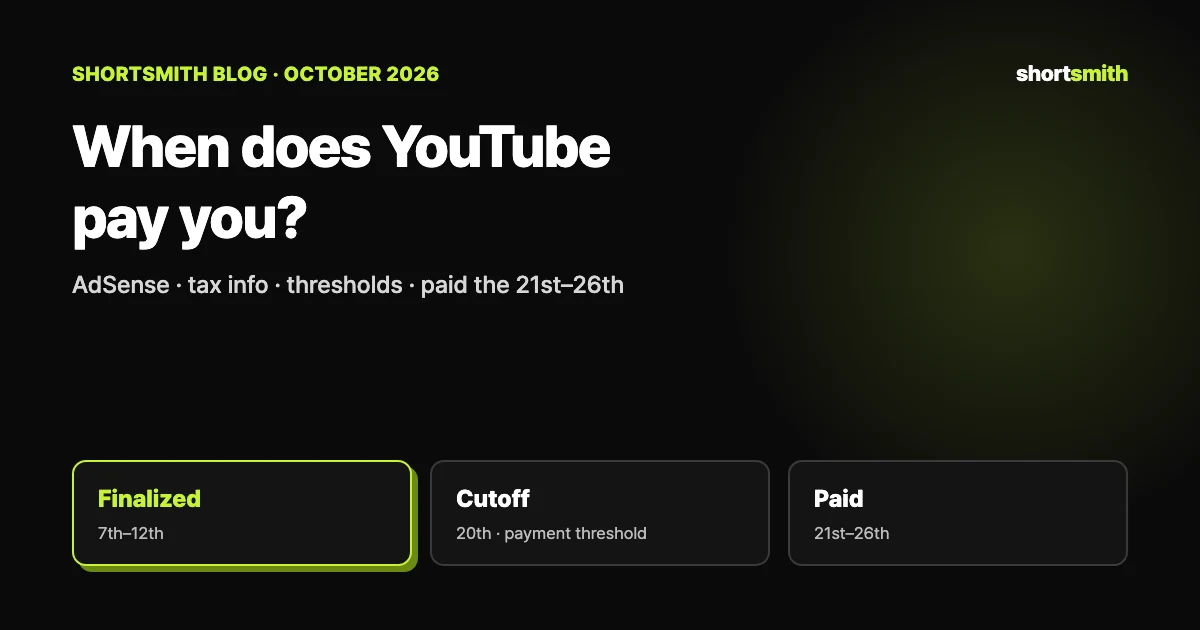
Creators in the YouTube Partner Program are paid through AdSense for YouTube, which runs on a monthly cycle. Earnings from one month are finalized on the 7th–12th of the next, and if your total balance has reached the payment threshold and your payment details are settled by the 20th, the payment is marked Paid or Payment pending on the 21st–26th. If you are below the threshold, the balance rolls over to the next month.
We checked YouTube Help’s “Understand the AdSense for YouTube payment process,” “Meet earnings thresholds to get paid by YouTube” and “Submit your US tax info to Google,” plus Google Account Help’s “Age requirements on Google Accounts,” on October 23, 2026. Tax situations differ, so confirm details with a tax professional.
The monthly payment schedule, at a glance
| Date | What happens | What to do |
|---|---|---|
| During the month | Your channel earns | — |
| 7th–12th of next month | Last month’s estimated earnings are adjusted, finalized and posted to AdSense | Check the finalized amount on the Payments page |
| 20th | Balance checked against the payment threshold; payment details must be settled | Release holds and make changes before this date |
| 21st–26th | Shown as Paid or Payment pending (next business day if the 21st is a weekend or holiday) | Watch for the deposit |
Why the amount changes before it is final
After the month closes, last month’s estimated earnings can be adjusted. YouTube lists invalid traffic, copyright claims and disputes, certain ad campaign types such as cost-per-day campaigns, and taxes on earnings from US viewers. That is why the estimated revenue you saw in Studio can differ a little from the finalized number.
Finalized earnings appear in AdSense for YouTube on the 7th–12th. Sign in and choose Payments to see payment details along with any adjustments or fees deducted. If only one channel is linked to your AdSense for YouTube account, you can also check payments in the YouTube Studio app.
The five thresholds you pass on the way
As your earnings grow, YouTube asks you to complete certain steps at set amounts called thresholds. The values depend on the reporting currency of your AdSense for YouTube account; the US dollar values are below.
| Threshold | What you do when you reach it | USD |
|---|---|---|
| Tax info | Submit tax info, wherever you live | $0 |
| Verification | Verify your identity and address (only once) | $10 |
| Payment method selection | Choose how to get paid (options depend on your payee address) | $10 |
| Payment | You are paid if there are no holds and you follow policy | $100 |
| Cancelation | If you close the account with more than this, you get a final payment | $10 |
US tax info — required even outside the US
Every creator earning money on YouTube must give Google US tax info, wherever they live. Where withholding applies, Google withholds tax on earnings from US viewers, and if you do not share your tax info Google may have to deduct up to 24% of your total worldwide earnings. You may also owe tax in your own country.
To submit it, open AdSense for YouTube → Payments → Payments info → Manage settings, scroll to Payments profile, click edit next to United States tax info and choose Manage tax info. Your answers generate the right form — usually W-8BEN for individuals outside the US, W-8BEN-E for entities and W-9 for US persons. Form fields accept only Latin letters, numbers, spaces, hyphens and ampersands.
- After submitting, check that the tax form status shows a green Approved
- Forms stay valid for the year signed plus three years — resubmit every few years even without changes
- If eligible, claim tax treaty benefits by December 10 each year (ask a tax professional)
- If you move, keep your permanent residence address and legal address identical
Watch for phishing
Google never sends unsolicited messages asking for your password or personal information. Before clicking a tax-related link, check that the email came from an @youtube.com or @google.com address.
How long each payment method takes
Even after the payment is issued on the 21st, when the money arrives depends on the method and your time zone. Electronic funds transfer (EFT) can take up to 7 business days and wire transfers up to 15 business days after processing. Checks take 2–4 weeks by mail, and Hyperwallet funds are available in 1–2 days. Western Union can no longer be selected as a payment method.
You cannot be paid early, and the payment currency cannot be changed. If an account violates AdSense policies or terms, payments can be held or earnings deducted at any time, starting from when Google begins investigating. An EFT sent to a closed bank account is returned within a few days and credited back to your balance.
AdSense age rules and linking your account
To join the Partner Program you link one AdSense for YouTube account to your channel. AdSense requires users to be 18 or older (19 in South Korea, per Google). If you use separate payment accounts for AdSense and AdSense for YouTube, each one must reach the payment threshold and each needs its own payment method.
If you close your account with a balance above the cancelation threshold, no holds and all payment steps completed, you receive the final payment about 90 days after the end of that month.
Building steady earnings — with Shortsmith
Passing the payment threshold every month comes down to a steady stream of views that earn. Shorts revenue is calculated from eligible engaged views that meet originality requirements, so adding your own commentary and story matters more than stitching together other people’s scenes.
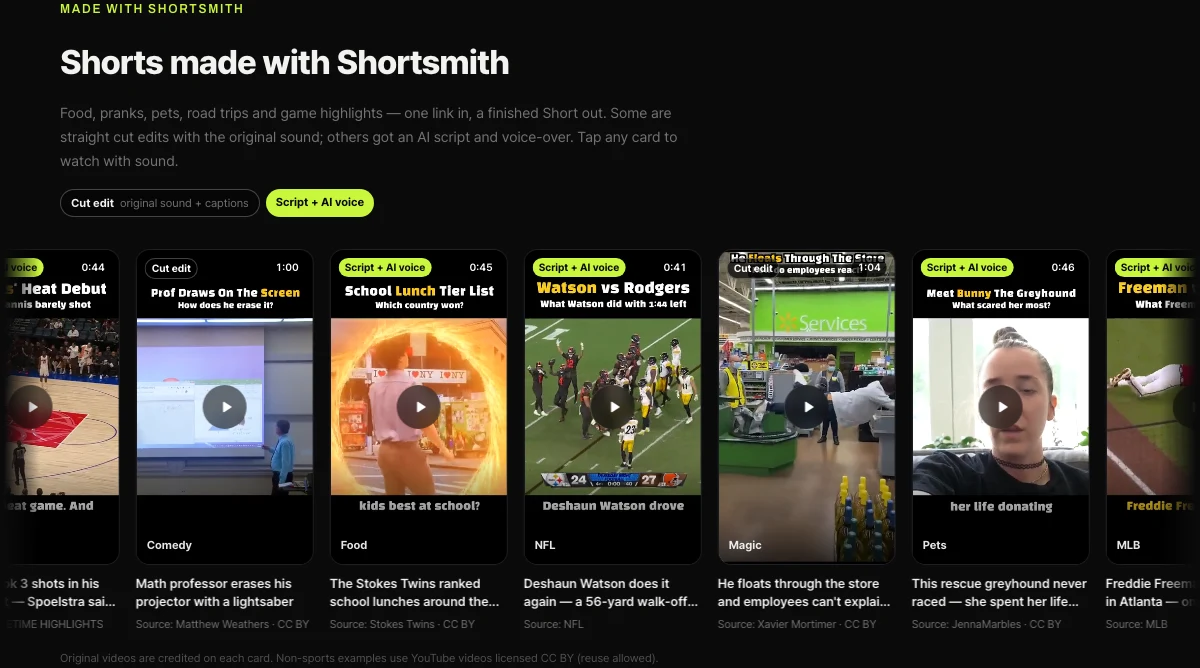
Shortsmith turns one long video into a vertical finished Short with a chosen story angle, scenes, captions and voice-over, and lets you post it to YouTube right away or schedule it. Below is the row of real finished Shorts on the Shortsmith home page, with the source credited on each card.
FAQ
When does YouTube pay?
Payments are marked Paid or Payment pending on the 21st–26th of each month, or the next business day if the 21st falls on a weekend or holiday.
How much do I need to earn to get paid?
Your balance must reach the payment threshold ($100 in USD) by the 20th; otherwise it rolls over to the next month.
Do I need to submit US tax info if I live outside the US?
Yes. Everyone earning on YouTube must, and without it Google may deduct up to 24% of your worldwide earnings.
Do I submit tax info only once?
No. Forms are valid for the year signed plus three years, and you must resubmit right away if something changes that affects the form.
Can I get paid early?
No. Google only pays on the standard schedule.
How old do I have to be for AdSense?
AdSense requires users to be 18 or older, and 19 in South Korea.
Sources
- Understand the AdSense for YouTube payment process — YouTube Help · checked
- Meet earnings thresholds to get paid by YouTube — YouTube Help · checked
- Submit your US tax info to Google — YouTube Help · checked
- Age requirements on Google Accounts — Google Account Help · checked
- YouTube Partner Program overview & eligibility — YouTube Help · checked