How many YouTube strikes before your channel is gone? Warnings, strikes and appeals explained (October 2026)
Shortsmith team · Updated
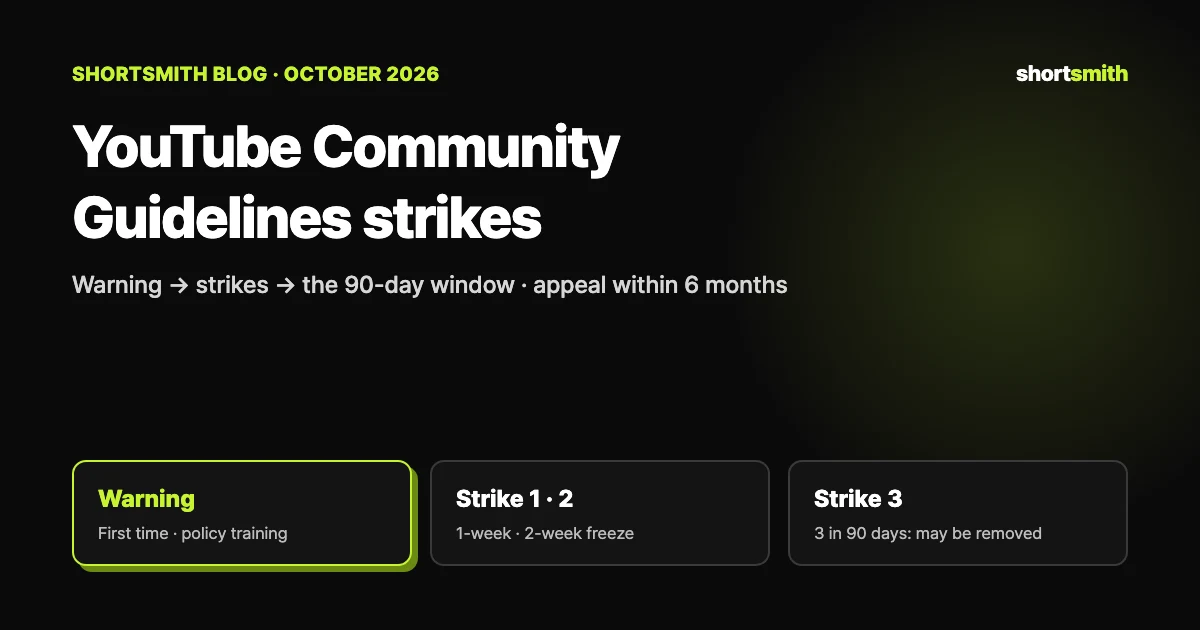
The first time you break YouTube’s Community Guidelines you usually get a warning, not a strike. Break them again and you get a first strike, which blocks uploads and several other actions for one week; a second strike in the same 90 days blocks posting for two weeks. Three strikes in the same 90-day window may get your channel permanently removed. Each strike expires 90 days after it was issued, and deleting the video does not remove it.
We checked YouTube Help’s “Community Guidelines strike basics on YouTube,” “Appeal Community Guidelines strikes or video removals,” “Understand copyright strikes” and “YouTube Partner Program overview & eligibility” on October 24, 2026.
At a glance: from warning to third strike
Strikes are not only about videos. The Community Guidelines cover almost everything on YouTube, including unlisted and private content, comments, links, posts and thumbnails. If YouTube removes content for another reason — a first-party privacy complaint or a court order, for example — your channel does not get a strike.
| Stage | When you get it | Restriction | When it goes away |
|---|---|---|---|
| Warning | Usually your first violation | None | 90 days after you finish optional policy training |
| First strike | Another violation after the warning | One week without uploads, scheduling, custom thumbnails, posts and more | 90 days after it was issued |
| Second strike | Within the same 90 days as the first | Two weeks without posting content | 90 days after it was issued |
| Third strike | Third within the same 90 days | Channel may be permanently removed | — |
It starts with a warning — and training can clear it
YouTube recognizes that mistakes happen and that you may not have meant to break a rule, so the first violation is typically only a warning. With a warning you can take optional policy training: a short in-product session about the specific policy you broke. You can open it from the Studio dashboard, the Content tab, or the link in the email and banner notifications.
Complete the training and the warning expires after 90 days — counted from the day you finish the training, not the day the warning was issued. Violate the same policy within that window and the warning may not expire and you may get a strike; violate a different policy after training and you get another warning. Not every warning is eligible for training, and repeat offenders may be prevented from taking it in the future.
When one violation is enough
A single case of severe abuse can lead to channel termination without a warning. If you think YouTube made a mistake, you can appeal.
First strike: what you can’t do for a week
If your content breaks the policies again after a warning, you get a strike. The penalty starts on the date you acknowledge it, and for one week you cannot:
- Upload videos or live streams
- Start a scheduled live stream or schedule a video to become public
- Create a Premiere or add a trailer to an upcoming Premiere or live stream
- Create custom thumbnails or posts
- Create, edit or add collaborators to playlists, or add and remove playlists with the Save button on the watch page
What about Shorts you already scheduled?
Scheduled public content is set to private for the penalty period, so you have to reschedule it afterwards. Full privileges return automatically after a week, but the strike stays on your channel for 90 days and may cost you access to advanced features.
Second and third strikes: the 90-day window is everything
A second strike within the same 90 days as the first means two weeks without posting content; if nothing else happens, privileges come back automatically. A third strike in the same 90-day period may get your channel permanently removed from YouTube.
The 90 days run separately for each strike: none expires until 90 days after it was issued. That is why it pays to slow down for a few weeks after a strike and check upcoming videos against the policies once more. An Official Artist Channel that gets a strike is suspended and turned into a standard channel.
Deleting the video doesn’t delete the strike
Removing the offending video feels like a fix, but it isn’t. Deleting content does not remove a strike, YouTube can issue strikes on content that is already deleted, and once you delete the video you can no longer appeal that strike.
Using, creating or acquiring another channel to get around a restriction is also prohibited for as long as the restriction is active. YouTube treats it as circumvention under its Terms of Service and may terminate your existing channels, any new ones you create or acquire, and channels where you are repeatedly or prominently featured.
How to appeal: within six months, once per strike
You can appeal a warning or strike only within six months of receiving it, and each strike can be appealed only once. If content was removed without a strike, you have up to one year after removal to appeal (through the notice link on the video in Studio’s Content page). To appeal a strike on a computer:
- Sign in to YouTube Studio and open the Dashboard.
- Select the Channel violations card.
- Select Appeal, explain your reason and submit.
You’ll get the result by email
If the content is found to follow the guidelines, the video is reinstated and the strike removed. If it follows the guidelines but isn’t suitable for all viewers, it may be age-restricted instead. If the violation stands, the strike stays — but a rejected appeal carries no extra penalty.
Not the same as a copyright strike
A copyright strike is a separate system: it happens when a legal copyright removal request is found valid and the content is taken down. A Content ID claim on its own usually doesn’t cause a strike, but disputing claims without a valid reason can lead the owner to file a removal request.
| Community Guidelines strike | Copyright strike | |
|---|---|---|
| Cause | Breaking YouTube’s Community Guidelines | A valid legal copyright removal request |
| First step | Usually a warning first | A strike right away |
| Expires | 90 days after issue (warning: 90 days after training) | 90 days, after completing Copyright School |
| Three | Three in 90 days may remove the channel | Three in 90 days may terminate the account and linked channels |
| How to resolve | Appeal (within six months, once) | Retraction, counter notification or Copyright School |
What a strike means for monetization
To apply for the YouTube Partner Program (YPP), your channel must have no active Community Guidelines strikes. You can apply once the strike expires, or once a successful appeal removes it.
Channels already in the program are not removed from it just for getting a Community Guidelines strike. Violating the channel monetization policies is a different matter: that can cost you monetization regardless of watch time or subscribers, so keep both sets of policies in mind.
Check once more before posting — making Shorts with Shortsmith
The surest way to avoid strikes is to look at your video through the policies before it goes up. Commentary Shorts that mention names, numbers and dates especially need a habit of checking that nothing inaccurate slipped in. If a scene is realistic AI-generated content, remember the platform’s AI disclosure too.
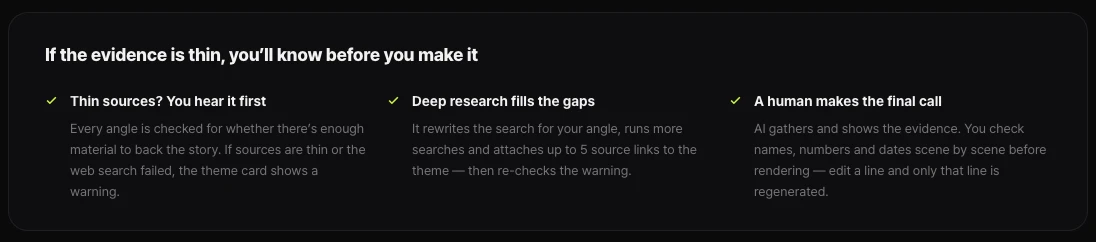
Shortsmith checks whether each story angle (theme) has enough material behind it and shows a warning on the theme card when sources are thin. Deep research reruns the search and attaches source links, and a human makes the final call: you check names, numbers and dates scene by scene before rendering, and only the lines you edit are regenerated.
FAQ
Is my channel deleted immediately after three strikes?
Three strikes within the same 90 days may get the channel permanently removed. Each strike only expires 90 days after it was issued.
Do I get a strike for my first violation?
Usually not. The first violation is typically a warning, which expires 90 days after you complete the optional policy training. Severe abuse is the exception and can end a channel at once.
Does deleting the video remove the strike?
No. The strike stays, and deleting the video means you can no longer appeal it.
How long do I have to appeal?
Six months after a warning or strike, once per strike. If content was removed without a strike, you have up to one year after removal.
Can I apply for monetization with a strike?
Not with an active strike. Apply after it expires or after an appeal removes it. Channels already in YPP are not removed just for getting a strike.
What happens to Shorts I scheduled before a first strike?
They are set to private during the penalty period, so reschedule them once the week is over.
Sources
- Community Guidelines strike basics on YouTube — YouTube Help · checked
- Appeal Community Guidelines strikes or video removals — YouTube Help · checked
- Understand copyright strikes — YouTube Help · checked
- YouTube Partner Program overview & eligibility — YouTube Help · checked