Shorts music and copyright: Shorts audio, the Audio Library and music in your source (October 2026)
Shortsmith team · Updated
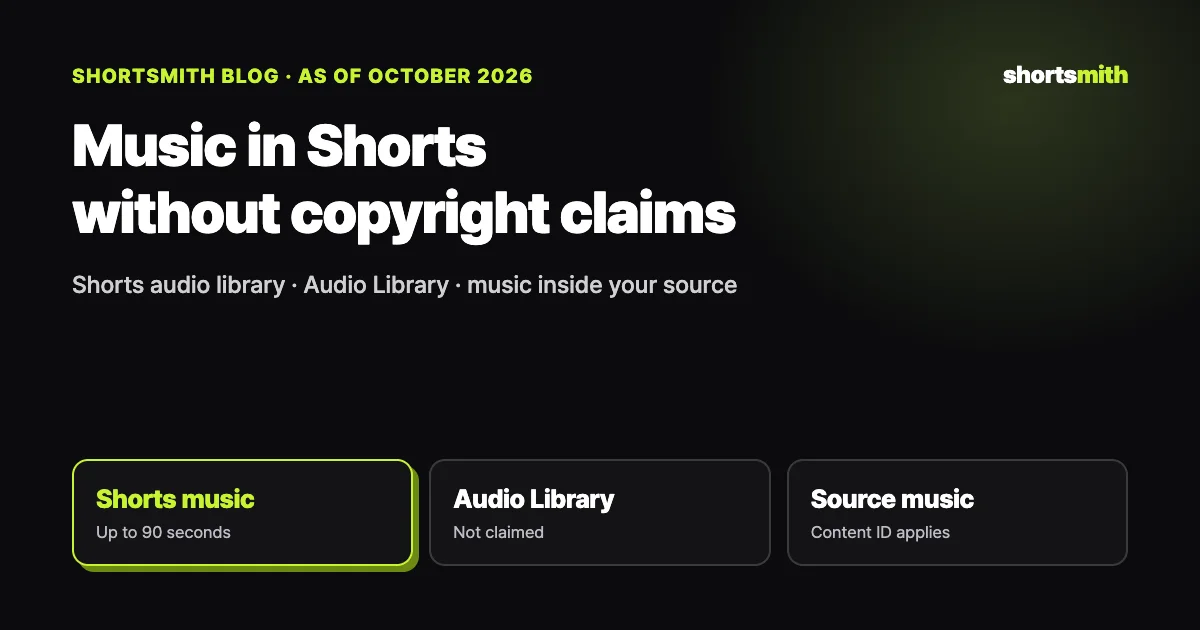
The surest way to avoid copyright trouble with music in Shorts is to use music YouTube provides. Songs in the YouTube app’s Shorts creation tools can be used, depending on the song, for up to 90 seconds in a three-minute Short, and tracks from YouTube Studio’s Audio Library aren’t claimed through Content ID. “Free music” from elsewhere, and music playing inside the video you’re clipping, can still be claimed.
We checked YouTube Help’s “Music eligibility for YouTube Shorts,” “Use music and sound effects from the Audio Library” and “Understand three-minute YouTube Shorts” on October 19, 2026, including how claims on one-to-three-minute Shorts changed on September 24, 2026.
Risk by music source, at a glance
| Music source | Copyright claims | Notes |
|---|---|---|
| Shorts creation tools | Covered when added with YouTube’s tools | Up to 90 seconds, depending on the song |
| YouTube Audio Library | Not claimed | Credit Creative Commons tracks in the description |
| “Free music” from other sites | Can be claimed | YouTube isn’t responsible for outside music |
| Music inside your source (broadcasts, concerts) | Can be claimed | Content ID finds music in the source too |
Music from the Shorts tools: up to 90 seconds
The songs you can pick when creating a Short in the YouTube app come from rights holders with Shorts agreements. According to YouTube, depending on the song you can add up to 90 seconds of music to a three-minute Short. That treatment applies when you add the song with YouTube’s tools; add the same song in another editor and upload it, and it can get a standard copyright claim.
How long you can use a track may vary by song, so check before adding it. If your Short has narration, keep the music low enough that it doesn’t cover the voice.
YouTube Audio Library: music that isn’t claimed
The Audio Library in YouTube Studio’s left menu has music and sound effects you can use without copyright worries. YouTube says tracks downloaded from it won’t be claimed by a rights holder, and creators in the YouTube Partner Program can monetize videos that use them. Creative Commons tracks need the artist credited in the video description, and the “Attribution not required” filter shows only tracks that don’t.
YouTube says only Audio Library tracks are known to it to be copyright-safe and that it isn’t responsible for issues with “royalty-free” music from other sources. Check the license terms of any music labeled free.
Music inside your source, and the September 24 change
When you cut Shorts from a long video, it’s easy to miss music playing in the source. Broadcast background music, concert footage and stadium music are found in Shorts too if they’re registered in Content ID. A claim leads to whatever the rights holder chose: the video is blocked, its ad revenue goes to the rights holder, or viewing stats are tracked.
According to YouTube, starting September 24, 2026, new Shorts longer than one minute (but under three minutes) with an active Content ID claim are no longer automatically blocked and may remain playable. Rules for Shorts under a minute are unchanged, and Shorts blocked globally can’t be monetized. If a Short is blocked, you can remove the claimed content and post again.
Balancing sound in narrated Shorts
In a narrated Short, music is the backdrop, not the star. If music is louder than the voice, narration gets lost on a phone speaker and viewers have to follow along with captions alone. Duck the music when narration starts and bring it up only in the gaps.
Drop music entirely in scenes where people on screen speak in their own voices; in original-audio scenes, the live sound is the content. To avoid abrupt cuts or jumps at scene changes, let music and original audio overlap briefly as they hand off.
When the sound is done, watch once on a phone with sound on and once with it off. Check that narration is clear with sound on and that captions alone carry the story with sound off; that catches most problems.
Keep a record of where music came from
Note which track you got where and under what license, and if a claim comes in you’ll have the evidence for a dispute at hand. For Creative Commons tracks, don’t forget the credit in the description.
Reusing one track across videos builds a channel mood, but if that track’s rights change, many videos are affected at once. Choose signature music from a source with clear rights, like the Audio Library.
Shortsmith’s “Background sound” is your source audio, not music
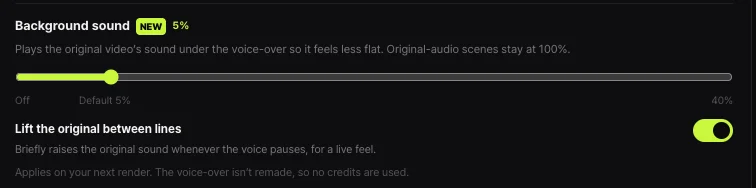
Shortsmith doesn’t add music to videos. “Background sound” plays the original video’s sound quietly under the voice-over so it feels less flat; it defaults to 5% and goes from off to 40%. Original-audio scenes, where people on screen speak, play at 100%, and “Lift the original between lines” briefly raises the original sound whenever the voice pauses, for a live feel.
If copyrighted music plays in your source, set background sound to off and don’t use the parts with music as original-audio scenes. Background sound changes apply on your next render, and since the voice-over isn’t remade, no credits are used.
FAQ
Can I use a trending song in my Short?
Pick it in the YouTube app’s Shorts tools and, depending on the song, you can use up to 90 seconds. Adding it in another editor can lead to a claim.
Where can I get claim-free music?
YouTube Studio’s Audio Library. Its tracks aren’t claimed; credit Creative Commons tracks in the description.
Are Shorts over a minute with a claim blocked?
Since September 24, 2026, new one-to-three-minute Shorts with a claim aren’t automatically blocked. Shorts blocked globally can’t be monetized.
Is a Content ID claim a strike?
No. A claim applies the rights holder’s choice of block, monetize or track. Strikes come from copyright removal requests.
My source has music playing. What do I do?
Don’t use those parts as original-audio scenes, and in Shortsmith set background sound to off. Re-rendering after the change uses no credits.
Does Shortsmith add background music?
No. Background sound plays your source’s own audio quietly; Shortsmith doesn’t add separate music.
How loud should music be?
There’s no fixed number; the test is whether narration is clear. Listen on a phone speaker and lower the music if narration gets lost.
Sources
- Music eligibility for YouTube Shorts — YouTube Help · checked
- Use music and sound effects from the Audio Library — YouTube Help · checked
- Understand three-minute YouTube Shorts — YouTube Help · checked