When a YouTube upload fails — what each error message means, the Shorts audio library error, and the daily upload limit (October 2026)
Shortsmith team · Updated
When a YouTube upload fails you get an error message, and each message points to a different cause and a different fix. The file may be in the wrong format, the browser or a security program may be the problem, the channel may have a Community Guidelines strike, or you may have hit the daily upload limit. Shorts uploaded for commercial purposes can also fail because of music from the Shorts audio library. Read the message exactly and try the fix on the matching row, in order.
This post is based on the YouTube Help page "Common upload errors", opened in both the Korean and English versions on October 30, 2026. The Help page still names some old browsers, so this post only carries the gist: keep your browser up to date.
Error messages, causes and fixes at a glance
| Error message | Cause | Fix |
|---|---|---|
| An unexpected problem occurred | A temporary problem | Wait a few minutes and upload again |
| Server rejected your upload | A file in the wrong format | Check that the file format is supported |
| Network error while sending data | The browser needs to be updated | Update the browser and try again |
| Processing abandoned | The file is incomplete or invalid, or the upload speed is slow | Check that the video plays on your device and is a supported format, then re-upload; if it persists, upload from another platform |
| Can’t upload: channel status or account settings do not support uploads | The channel has a Community Guidelines strike, or a Google Workspace admin turned on restricted mode | Check the strike status; ask the workspace admin |
| A security error occurred | Unusual browser security settings created by a firewall, antivirus or anti-spyware program | Turn that software off briefly and upload again |
| Rejected (file too small) | A file under 2 KB | Make sure the video file is at least 2 KB |
| Failed (empty .mov file) | A QuickTime movie saved as a reference movie | Save it as a self-contained movie and upload again |
| Daily upload limit reached | The limit on videos per 24 hours | Try again after 24 hours |
The daily upload limit counts every route together
To keep the platform safe, YouTube limits how many videos a channel can upload in 24 hours, counting desktop, mobile and the YouTube API together. The limit can differ by country or region and by channel history, and Community Guidelines strikes affect how many videos you can upload. YouTube also notes that a copyright strike can affect eligibility based on channel history.
If you see the limit message, try again after 24 hours. Because the limit depends on your verification step (phone number, channel history, ID), a channel that uploads in bulk should check its verification status as well.
The Shorts audio library error on commercial channels
Channels that upload for commercial purposes, including Shorts with branded content, can get an error when uploading a Short that uses a sound from the Shorts audio library. YouTube explains that some music partners’ agreements limit the use of their music in Shorts to personal, non-commercial use.
- Upload again after removing the music you added from the Shorts audio library.
- Upload again and add music outside the Shorts creation tools. You must first secure all necessary rights from the copyright owner; otherwise you can face remedies such as a copyright takedown.
- Upload again with royalty-free music. Search the audio library for "YouTube Audio Library"; tracks with the green "YouTube Audio Library" album artwork and the YouTube logo need no prior rights clearance. If a track does not match, its use may not be approved.
A checking order when you are stuck
This order regroups the Help page’s fixes into a checking sequence; it is the author’s arrangement. If nothing works, YouTube’s other guidance is to change the format or codec or re-export from your editing software.
- Read the error message word for word and find the same row in the table above.
- Rule out the file: is the format supported, is it at least 2 KB, does it play to the end on your device, and was a QuickTime file saved as a self-contained movie?
- Suspect the environment: update the browser, turn off security software briefly, and re-upload from another environment if the network is slow.
- Check the channel: look for a Community Guidelines strike in Studio, and wait 24 hours if it is the limit message.
When you upload with Shortsmith
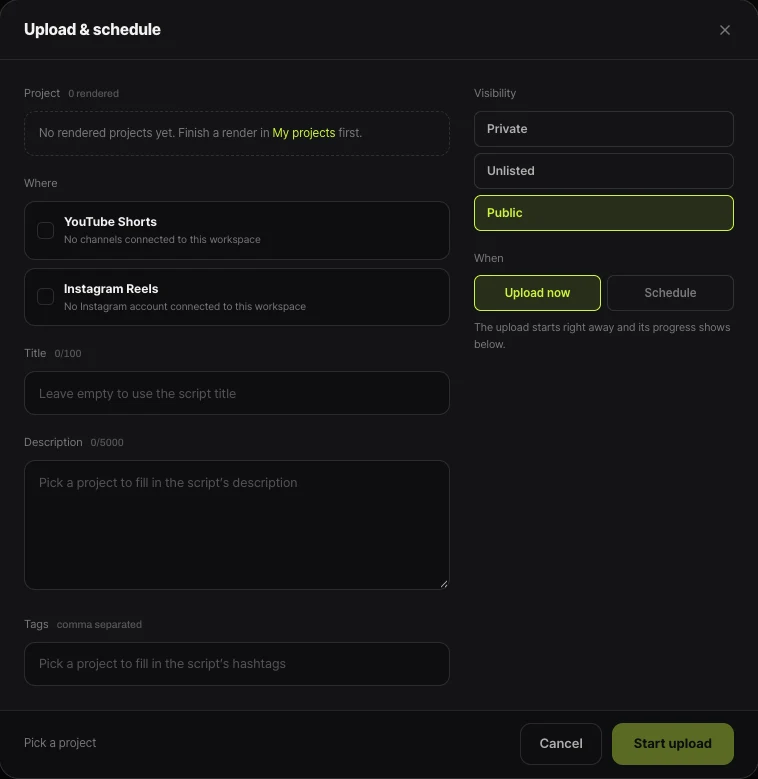
Shortsmith’s Upload & Schedule sends videos through the YouTube API, so the daily limit above counts videos uploaded from Shortsmith too. If an upload fails, the window shows "Failed" and a reason in its progress status; if the reason matches a message in the table, follow the same fix.
If the block comes from channel status (a Community Guidelines strike), uploading again from Shortsmith gives the same result. Upload or schedule again after the strike period ends. A scheduled upload is sent at the chosen time, not before, so if that time falls when you are at the limit, the scheduled upload can fail too.
FAQ
Why does "Processing abandoned" appear?
It can appear when the uploaded file is incomplete or invalid, or the upload speed is slow. Check that it plays on your device and is a supported format, then upload again; if it continues, try another platform.
What does "Server rejected your upload" mean?
It means the file is in the wrong format. Check that you are using a supported file format.
How many videos is the daily upload limit?
YouTube does not give a number. It says only that the limit varies by country or region and channel history, and counts desktop, mobile and the API together over 24 hours.
What if the message says channel status blocks uploads?
It can appear if the channel has a Community Guidelines strike or a Google Workspace admin turned on restricted mode.
Can I not upload commercially with Shorts audio library music?
A commercial channel can get an error. Remove the music and upload again, add music with secured rights outside the tools, or use royalty-free music.
Do Shortsmith uploads count toward the daily limit?
Yes. Videos uploaded through the YouTube API count with desktop and mobile in the same 24-hour limit.
Sources
- Common upload errors — YouTube Help · checked
- Learn about access to YouTube Creators features — YouTube Help · checked