YouTube phone verification and feature access explained — if custom thumbnails, videos over 15 minutes or clickable links are blocked (October 2026)
Shortsmith team · Updated
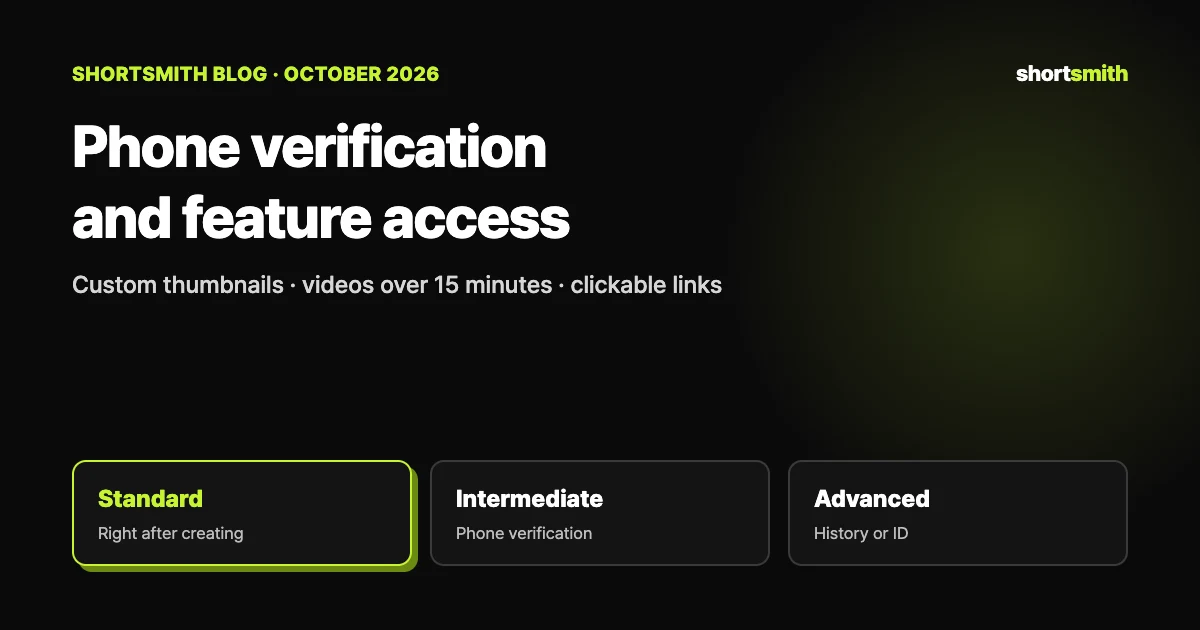
YouTube Studio features unlock in three levels depending on how you verify. Creating a channel gets you standard features right away (as long as you have no active Community Guidelines strikes), verifying your phone number unlocks intermediate features, and building enough channel history or verifying with an ID or video unlocks advanced features. If custom thumbnails won’t upload, you can’t post videos over 15 minutes, or links in a description aren’t clickable, start by checking which level you’re stuck at.
This guide is based on YouTube Help’s “Verify your YouTube account”, “Learn about feature access for YouTube Creators” and “Upload YouTube videos”, checked on October 29, 2026.
The three levels at a glance
The features in the table are only representative; the full list is in YouTube’s Help table. A brand-new channel only has standard features and may hit low upload limits, so if you plan to post several videos at once on a new channel, verifying your phone number first is the safer move (our advice).
Daily limits vary by level too. Standard features (uploads, playlists, posts) have limited daily limits without verification and higher ones with channel history or an ID, while live streaming and custom thumbnails are described as a limited daily limit with phone verification and a higher one with channel history or ID.
| Level | How it opens | Representative features |
|---|---|---|
| Standard | Immediately when you create a channel (with no active Community Guidelines strikes) | Uploading videos and Shorts, creating playlists and the Posts tab (limited daily limits without verification) |
| Intermediate | Phone number verification | Videos longer than 15 minutes, live streaming on a computer, custom thumbnails, creating a podcast |
| Advanced | Sufficient channel history from active use (automatic) or verification with an ID or video | Content ID appeals, applying for monetization, clickable links in long-form descriptions and posts, a Related Video on a Short, pinning comments, chapters, A/B testing, multi-language features and more |
Phone verification — what it unlocks and how it works
To verify your channel, you enter a phone number and then the code sent by text or voice call. Once verified you can upload videos longer than 15 minutes, add custom thumbnails, live stream and appeal copyright claims. YouTube says a phone number can be linked to no more than 2 channels per year, and describes the step as a way to fight spam and abuse.
| Problem | What to try |
|---|---|
| No code arrives | Codes should arrive immediately, so request a new one. Try a voice call instead of text, or a number from another carrier; some carriers don’t support text messages or calls from Google |
| “Too many accounts use this phone number” | A number can be linked to only 2 channels per year, so use a different phone number |
| The text is slow | In crowded areas or on weak infrastructure it can be delayed; if nothing arrives after a few minutes, choose the voice call |
Advanced features — how they open
The default route is to finish phone verification first, then qualify automatically once enough channel history builds up. To use them right away you can verify with a valid ID or video, but ID and video verification aren’t available to every creator. To keep using them you need to follow the Community Guidelines and keep a positive history, and violations can bring strikes or limit your access.
- Content ID appeals, embedding live streams, and applying for monetization (with extra eligibility requirements)
- Clickable links in long-form video descriptions and posts, and in channel details on the watch page or posts
- A Related Video on a YouTube Short, and pinning comments on videos and posts
- RSS upload, chapters, adding more channels to your account, A/B testing and multi-language features
How to see how far your channel is unlocked
Not every feature is managed on this tab, and some have separate requirements. If you hit a daily limit, an intermediate channel can sometimes verify its identity to move up to advanced access, which usually has higher limits, while a channel that already has advanced access has to wait 24 hours before using the feature again.
- Sign in to YouTube Studio on a computer.
- Click Settings.
- Click Channel.
- Click Feature eligibility; features you can access show “Enabled” next to them.
“This doesn’t work” — a quick lookup
| What’s blocked | Level needed | What to do first |
|---|---|---|
| Uploading custom thumbnails | Intermediate (phone verification) | Verify your phone number |
| Videos over 15 minutes, live streaming | Intermediate | Verify your phone number |
| Appealing copyright claims | Phone verification | Verify your phone number |
| Content ID appeals | Advanced | Phone verification, then channel history or ID verification |
| Clickable links in long-form descriptions | Advanced | Wait for channel history to build up, or verify with an ID or video |
| A Related Video on a Short | Advanced | Same as above |
| Pinned comments, chapters, A/B testing | Advanced | Same as above |
| Applying for monetization | Advanced (plus Partner Program requirements) | Secure advanced access, then check the Partner Program requirements |
When you post with Shortsmith — thumbnails are the most common snag
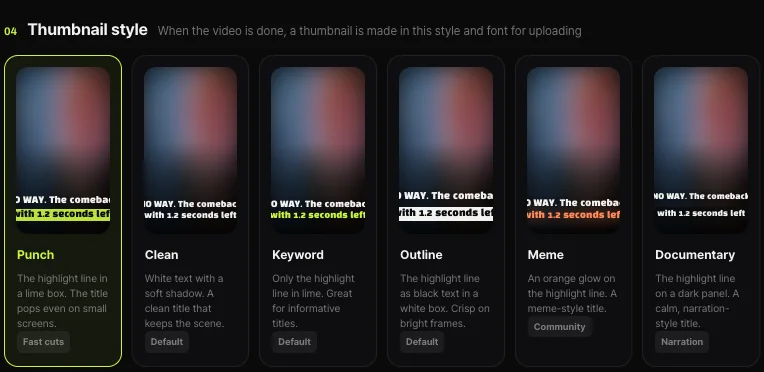
Shortsmith’s Upload & schedule window uploads the thumbnail the render made as the YouTube thumbnail (scheduled uploads too). Its look follows the thumbnail template you picked, and the window notes that custom YouTube thumbnails need a phone-verified channel. If the thumbnail doesn’t go up, check whether the channel is verified first. With no rendered thumbnail, YouTube picks a frame from the video.
Other advanced features aren’t set in Shortsmith; they open in YouTube Studio. For example, attaching a Related Video to a Short is done in Studio on a channel that has advanced features.
FAQ
What does phone verification unlock?
Uploading videos longer than 15 minutes, adding custom thumbnails, live streaming and appealing copyright claims. Advanced features are the next level.
How many channels can one phone number verify?
No more than 2 channels per year. A number linked to more gives an error, so you need another one.
How do advanced features open?
You qualify automatically once enough channel history builds up from active use, or you can verify with an ID or video to use them right away. ID and video verification aren’t available to every creator.
Where do I see my channel’s feature status?
In Studio, go to Settings → Channel → Feature eligibility and look for “Enabled” next to each feature.
What if I hit a daily limit?
At the intermediate level you can sometimes verify your identity to move up to advanced; at the advanced level you can use the feature again after 24 hours.
My custom thumbnail won’t upload from Shortsmith.
Custom YouTube thumbnails need a phone-verified channel. Without it, YouTube picks a frame from the video.
Sources
- Verify your YouTube account — YouTube Help · checked
- Learn about feature access for YouTube Creators — YouTube Help · checked
- Upload YouTube videos — YouTube Help · checked