Why links in Shorts descriptions and comments aren’t clickable — which links work, profile links, and the advanced-features rule (October 2026)
Shortsmith team · Updated
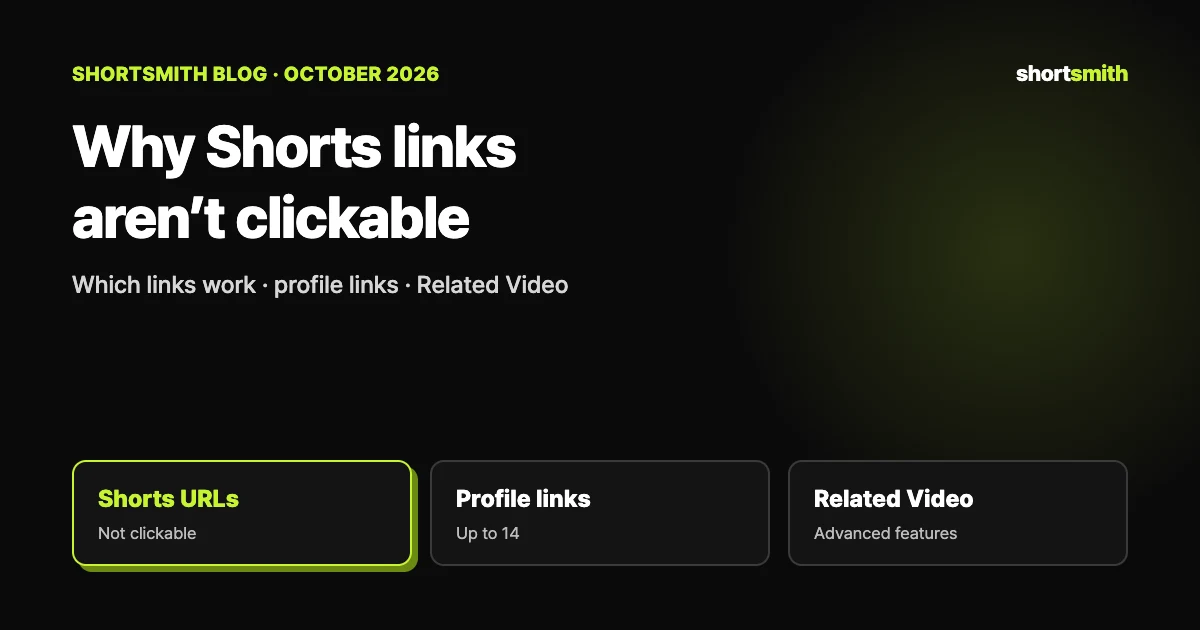
A URL in a Short’s description or comments not being clickable is policy, not a bug. YouTube says that to reduce spam and scam attempts, URLs placed in YouTube Shorts comments and Shorts descriptions are non-clickable. There are other routes that do work — channel profile links, the Related Video link in the Shorts player, shopping affiliate links, mentions and hashtags — and URLs in long-form descriptions and comments are clickable only once you enable advanced features.
This guide is based on YouTube Help’s “Sharing links with your audiences”, “Learn about feature access for YouTube Creators” and “Upload YouTube videos”, checked on October 29, 2026. Link rules can change, so recheck the Help page before an important campaign.
The short answer — where links click and where they don’t
| Link type or location | Clickable? |
|---|---|
| URLs in Shorts comments and Shorts descriptions | No |
| URLs in long-form video comments and descriptions (*) | Yes (needs advanced features) |
| Channel profile links | Yes |
| External brand deal links | Yes |
| Related Video link in Shorts | Yes (needs advanced features) |
| Mentions and hashtags in Shorts comments and descriptions | Yes |
| YouTube Shopping affiliate program links | Yes |
| Shorts green screen and remix attribution links | Yes |
| End screens | Yes |
| URLs in live chat and channel descriptions (horizontal live streams) | Yes |
| URLs in live chat and channel descriptions in the mobile app (vertical live feed) | No |
Ways to send viewers somewhere from a Short
- Channel profile links: your channel page can show up to 14 links. In a Short you can point viewers to them, for example by saying “check the link in my profile”.
- Related Video: a link in the Shorts player to another video on your channel. With advanced feature access you can set it in the upload details or edit the Short to add it; the video you link must be public or unlisted and follow the Community Guidelines, and videos, Shorts and live content can all be linked.
- External brand deal links and YouTube Shopping affiliate links: links added through those programs are clickable.
- Mentions and hashtags: mentions and hashtags in descriptions and comments are clickable. To send people to another channel, a mention often fits better than a URL.
The external links policy is separate
YouTube says it doesn’t allow external links that send people to websites with content that violates its external links policy. Even a clickable link needs a destination that complies.
If long-form links won’t click — advanced features first
Clickable external links in long-form descriptions, comments and posts need your channel’s access to advanced features. Advanced features open after phone verification once enough channel history builds up, or once you verify with an ID or video. In Studio, go to Settings → Channel → Feature eligibility and check that your channel shows “Enabled”.
Picking a route by goal
| What you want to do | What you can use | Watch out for |
|---|---|---|
| Send Shorts viewers to your site | A channel profile link, with a pointer to your profile in the Short | Up to 14 links on the channel page |
| Send Shorts viewers to your long video | The Short’s Related Video | Needs advanced features; the linked video must be public or unlisted |
| Promote a product and earn from it | YouTube Shopping affiliate links | The program has eligibility requirements |
| Include a sponsor or brand link | External brand deal links plus the paid promotion label | Follow the disclosure rules too |
| Point to another channel | A mention or hashtag in the description | A URL won’t be clickable |
| Put a link in a long-form description | A URL in the description | Needs advanced features |
Common link mistakes
- A sample guiding line (our suggestion): “tap the link in my profile” — shorter and surer than spelling out a long URL.
- Shopping affiliate links are only clickable when added through the eligible program, so don’t substitute a plain URL.
- The quickest check is to post, then tap the link yourself on your own phone.
| Mistake | Why it fails | The fix |
|---|---|---|
| Putting only a URL at the top of a Shorts description | URLs in Shorts descriptions aren’t clickable | Point to your channel profile link and use mentions and hashtags in the description |
| Dropping a URL in a comment to guide people | URLs in Shorts comments aren’t clickable either (pinning comments is an advanced feature) | Guide people to your profile link or a Related Video |
| A link in a long-form description won’t click | Clickable external links need advanced feature access | Check your status under Feature eligibility in Studio |
| Choosing a private video as the Related Video | The linked video must be public or unlisted | Change its visibility, then link it again |
| Pointing people to links in the mobile vertical live feed | URLs in that screen’s chat and channel description aren’t clickable | Use a horizontal live stream or your profile link |
When you post with Shortsmith
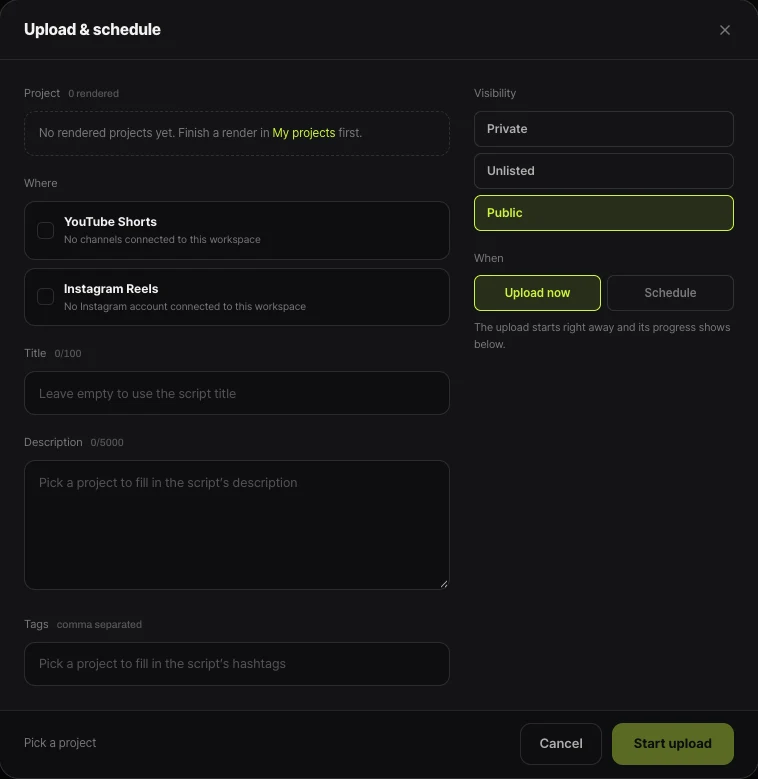
Shortsmith’s Upload & schedule window fills the description from the script’s description and hashtags, and a URL you add there still won’t be clickable on a Short. Hashtags and mentions are clickable, so where you need to guide people, use your channel profile link and write something like “tap the link in my profile” in the description.
Shortsmith’s upload window has no field for choosing a Related Video. To attach another of your videos to a Short, set it in Studio after posting, on a channel that has advanced features.
FAQ
Why can’t I click the link in my Shorts description?
YouTube makes URLs in Shorts comments and Shorts descriptions non-clickable to reduce spam and scam attempts. It isn’t a bug.
How can I link from a Short, then?
Channel profile links (up to 14), the Short’s Related Video, external brand deal links and YouTube Shopping affiliate links are clickable, and so are mentions and hashtags.
Are all links in long-form descriptions clickable?
To add clickable external links you must enable your channel’s access to advanced features.
How do I add a Related Video?
With advanced feature access, set it in the upload details or edit the Short to link a video from your channel. The linked video must be public or unlisted.
How many channel profile links can I add?
Your channel page can show up to 14 links.
Can I choose a Related Video in Shortsmith’s upload window?
There’s no such field. Set it in YouTube Studio after posting, on a channel that has advanced features.
Sources
- Sharing links with your audiences — YouTube Help · checked
- Learn about feature access for YouTube Creators — YouTube Help · checked
- Upload YouTube videos — YouTube Help · checked