Setting your YouTube audience to “made for kids”: the criteria, the features you lose, and how to change it (October 2026)
Shortsmith team · Updated
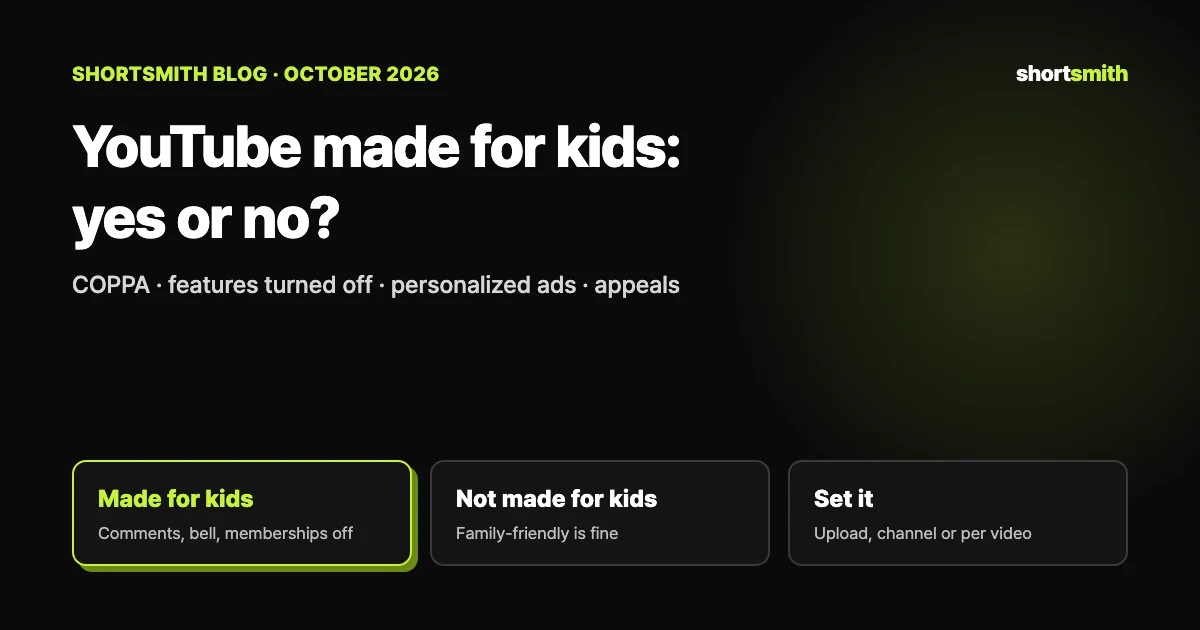
Wherever they live, every YouTube creator has to set their channel or videos as “made for kids” or “not made for kids.” Content is made for kids if children are its primary audience, or if it is directed at kids through actors, characters, activities, games, songs or stories. Being safe for the whole family is not, by itself, enough to make it made for kids. Content set as made for kids loses features such as comments, notifications and personalized ads to comply with the US Children’s Online Privacy Protection Act (COPPA) and other laws.
We checked YouTube Help’s “Determining if your content is ‘made for kids’,” “Set your channel or video’s audience” and “Watching ‘made for kids’ content” on October 27, 2026. This is not legal advice; if you’re unsure whether your videos meet the definition, talk to a legal professional.
Why every creator has to set it
The requirement comes from YouTube’s settlement with the US Federal Trade Commission (FTC) and the New York Attorney General. Even creators who don’t make kids content must set their audience so YouTube can offer the right features. Failing to set it correctly can lead to legal consequences under COPPA and other laws, or to action from YouTube on your account.
YouTube uses machine learning to find videos clearly directed at kids and may change the audience you chose if it detects error or abuse. But its systems may miss content the FTC or others consider made for kids, so YouTube says not to rely on them. In the US, “children” means under 13; other countries may define it differently.
How to tell if content is made for kids
These are the factors YouTube lists, based on FTC guidance. “Mixed audience” content — which targets children as one of its audiences, though not the primary one — is also a type of made-for-kids content.
- Subject matter (for example, educational content for preschoolers)
- Whether children are the intended audience (as shown in metadata) or the actual audience
- Whether the video includes child actors or models
- Characters, celebrities or toys that appeal to children, including animated characters and cartoon figures
- Language meant to be understood by children
- Activities that appeal to children, such as play-acting, simple songs or games, or early education
- Songs, stories or poems for children
- Whether the content’s ads are directed at children
Does one factor make it kids content?
No. Including some of these elements doesn’t automatically make a video made for kids. Weigh who the video is meant for, and note that YouTube Analytics isn’t designed to determine whether content is child-directed.
Tricky examples: made for kids vs. general audience
“General audience” content may appeal to all ages but isn’t specifically directed at kids, or is aimed at teens and older; set it as not made for kids. Being family-friendly, covering an activity associated with children, or being something kids might stumble on doesn’t by itself make content made for kids.
| Video | Setting | Why |
|---|---|---|
| Educational videos for preschoolers | Made for kids | Children are the primary audience |
| Videos centered on child-directed characters, songs or play | Made for kids | Directed at children even if not the primary audience |
| DIY hobby video on repainting dolls or making clay figures | Not made for kids | General audience, absent signs it targets kids |
| Family vlog telling other parents about a theme park visit | Not made for kids | The audience is parents |
| Animation that appeals to all ages | Not made for kids | General audience unless specifically aimed at kids |
| Content with sexual, violent or other mature themes, or age-restricted | Not made for kids | Not appropriate for children |
Features that turn off for made-for-kids content
To comply with the law, YouTube limits data collection and use on made-for-kids content. When a video or live stream is set as made for kids, these features aren’t available:
- Comments and the notification bell
- Personalized advertising
- Channel memberships, Super Chat and Super Stickers, live chat and live chat donations, the Donate button
- Cards and end screens, video watermarks, merchandise and ticketing
- Autoplay on home, playback in the Miniplayer, Save to playlist and Save to Watch later
- Likes and dislikes on YouTube Music
If the whole channel is made for kids
All videos and live streams lose the features above, and the channel also loses channel memberships, the notification bell, posts and Ask Studio. Without personalized ads, revenue may drop, though ads from certain categories can still show.
How to set it: channel, upload, existing videos
A channel-level setting applies to existing and future videos at once, and a video-level setting overrides it. The channel setting is only available in YouTube Studio on the web.
- Sign in to studio.youtube.com and click Settings in the left menu.
- Click Channel, then the Advanced settings tab.
- Under Audience, choose “Yes, set this channel as made for kids,” “No, set this channel as not made for kids,” or “I want to review this setting for every video.”
- Click Save.
- While uploading: Create → Upload videos → in the Details tab, scroll to Audience and choose “Yes, it’s made for kids” or “No, it’s not made for kids”
- Existing videos: in Content, tick the videos → Edit → Audience → choose, then Update videos (works in bulk)
- Live streams: in Live Control Room, fill in the basics and visibility, then choose under Audience
If YouTube set your video as made for kids: appeals
If you never set an audience, YouTube may have set it for you; in most cases you can change it yourself. If you did set it and YouTube detected error or abuse, the video may show “Set to made for kids” and you won’t be able to change the setting.
If you think that’s a mistake, appeal. On a computer, go to Content in Studio, hover over “Set to made for kids” on the video and click Appeal, then give your reason. In the Studio mobile app, open the video from the Uploads tab and tap “Set to made for kids” under Restrictions. You can appeal each video once; if it’s accepted, the made-for-kids setting is removed, and you’ll get the result by email.
Posting straight from Shortsmith
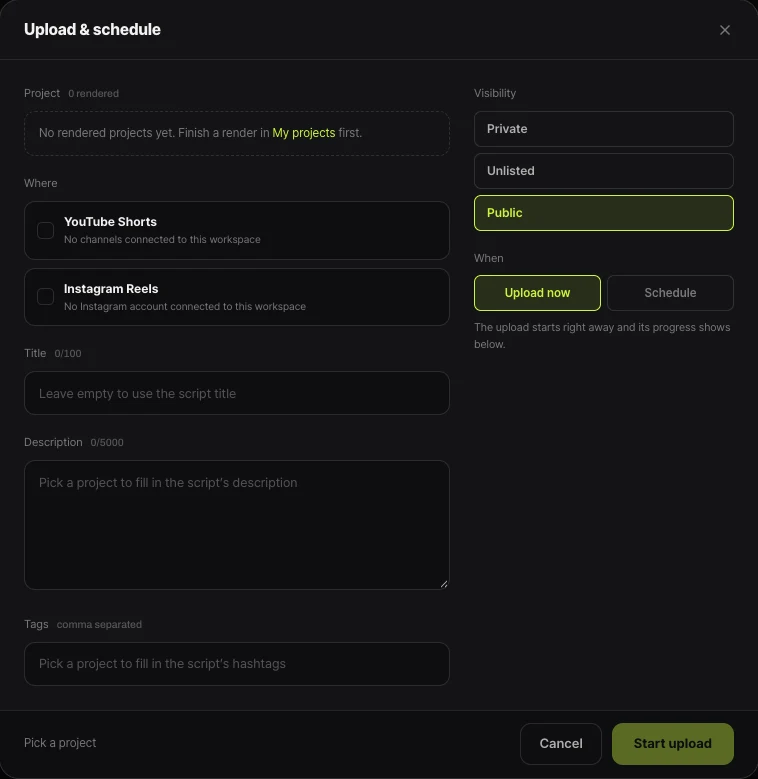
Videos you post to YouTube through Shortsmith’s Upload & schedule are uploaded as not made for kids, and the window has no audience setting. Shortsmith turns long videos — games, shows, vlogs — into commentary Shorts, so most of what it makes is general audience. A Short aimed mainly at kids is a different story.
For those, upload directly in YouTube Studio, or post through Shortsmith and immediately switch the audience to “Yes, it’s made for kids” under Content in Studio. To give yourself time to fix it before anyone sees it, set the visibility to Private in Shortsmith’s upload window, change the audience in Studio, then make it public.
FAQ
My video is family-friendly. Is it made for kids?
Not for that reason alone. Being safe for everyone, featuring an activity linked to children, or being something kids might watch by chance doesn’t make it made for kids. What matters is whether kids are the primary or targeted audience.
What happens to comments on made-for-kids videos?
Comments are turned off, along with notifications, personalized ads, channel memberships, Super Chat and saving to playlists.
Do made-for-kids videos earn nothing?
Ads can still run, but without personalized ads revenue may drop. Features like channel memberships and Super Chat aren’t available.
What if my channel and video settings differ?
The video-level setting overrides the channel setting.
YouTube changed my video to made for kids.
If you never set an audience, you can usually change it yourself. If you did and it’s locked as “Set to made for kids,” appeal from Content in Studio — once per video.
What audience do Shortsmith uploads use?
Not made for kids. For kids content, upload in YouTube Studio or change the audience in Studio after posting.
Sources
- Determining if your content is “made for kids” — YouTube Help · checked
- Set your channel or video’s audience — YouTube Help · checked
- Watching “made for kids” content — YouTube Help · checked