YouTube likeness detection explained — ID and selfie-video setup, the three actions on a match, and privacy complaints (October 2026)
Shortsmith team · Updated
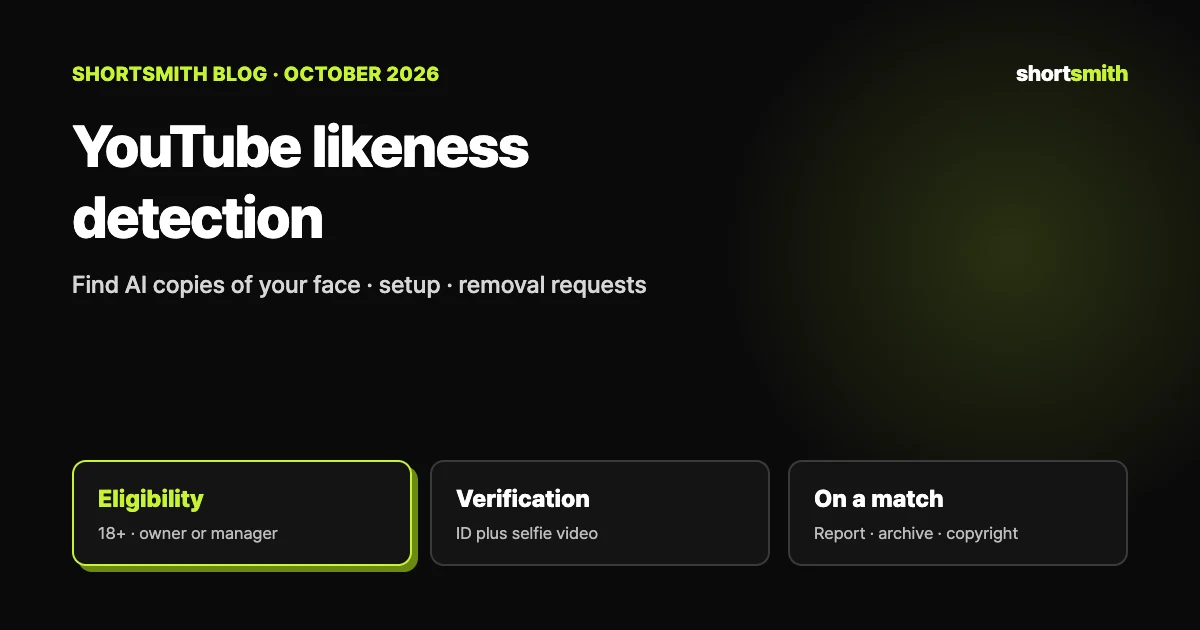
Likeness detection helps creators find videos on YouTube where their face appears to be altered or generated by AI. When something is found, you review it and decide what to do, including requesting removal through the privacy complaint process. It is currently an experimental feature that isn’t available in some countries, and to set it up a channel owner or manager who is over 18 must verify with a government-issued ID and a brief selfie video.
This guide is based on YouTube Help’s “Likeness detection on YouTube” and “Impersonation policy”, checked on October 29, 2026. Because the feature is experimental, details may change, so re-read the Help page before you set it up.
What it finds — like Content ID, but for your face
YouTube’s system performs a one-time search of newly uploaded videos to identify videos that potentially contain the face of each creator who has set up likeness detection. YouTube says it works similarly to Content ID, except the scan searches for a creator’s likeness rather than copyrighted content.
- Facial matches: today it only detects matches of an enrolled creator’s face. YouTube aims to extend it to audio, and some users now have the option to record a speaking voice sample during setup. If you find content with your voice that may violate the privacy policy, you can report it through the privacy complaint process.
- Non-enrolled individuals: to find matches it scans the faces of other people in a video too, but it can only identify enrolled creators who consented and submitted a face reference, and it immediately discards data for faces that don’t match.
- Actual footage can show up: in this experimental phase you may see videos with your real, unaltered face, such as short clips of your videos uploaded by other channels. These can’t be removed under the privacy policy, but for unauthorized uses you can submit a copyright removal request after considering fair use, public domain or a similar exception.
Eligibility — four requirements
| Requirement | Details |
|---|---|
| Availability | Experimental, and not available in some countries |
| Age | Over 18 |
| Channel permissions | Only a Channel Owner or Manager can set it up. Owners, Managers, Editors and Editors (limited) can review matches and report privacy violations on behalf of the owner or manager who set it up |
| Verification | A government-issued ID plus a brief video of your face (selfie video), which is also used as a reference for detection |
How to set it up
Once the ID and selfie video are submitted, verification may take up to 5 days, and you’ll get a confirmation email when it’s done.
- Open YouTube Studio on a computer and choose Content detection → Likeness → Start now.
- Agree to YouTube using biometric technology to search for your likeness. You’ll be asked to submit a face reference, and YouTube processes audio data from your content to search for audio likeness and may ask for a voice reference later.
- Complete Google identity verification with a clear picture of an official government-issued ID and a brief video of your face.
- Repeat these steps for each person who appears on camera and wants to enroll.
When a match appears — three actions
- Open YouTube Studio on a computer or mobile browser and choose Content detection → Likeness → For review.
- Review the detected videos where your face may be altered or AI-generated; you can filter by Total views or Subscribers.
- Select Review next to a video to see the details and choose an action.
| Action | When to choose it | What follows |
|---|---|---|
| Submit a likeness removal request | You think the video violates YouTube’s privacy policy | Fill in the required information in the privacy complaint process; you’ll be emailed the outcome |
| Submit a copyright removal request | Your own copyrighted content was used without permission | It’s a legal request, so consider fair use, public domain or similar exceptions first |
| Move to archive | You decide not to act | It leaves the review list and stays live; find it in the Archived tab to start a privacy complaint later |
Not every complaint results in removal
YouTube evaluates likeness removal requests by weighing factors such as whether the content is parody or satire, so it doesn’t remove everything. If you change your mind, use the retraction link in the confirmation email, and note that a video can also be removed for other reasons.
When nothing shows up or verification gets stuck
| Symptom | Why and what to do |
|---|---|
| Verification fails with a name mismatch | When a creator team shares one Google account, it’s tied to the first member who completed Payments or AdSense verification, so others hit a name mismatch. The owner should add each member’s own Google account as a channel manager, each member should onboard from their own account, and the name on your Google payments profile must match your government ID |
| No detected videos appear | They may not appear right after setup, and if little altered or synthetic content with your face has been uploaded, that’s normal. If you find one the tool missed, you can report it through the privacy complaint process |
| AI videos are missing | The feature is experimental and YouTube keeps tuning it. Report videos the tool missed through the privacy complaint process, and send feedback if you’re enrolled |
How your data is used, and how to turn it off
- To build your likeness template, YouTube processes the short video you provided, images of your face and the content of videos you uploaded. When you submit a likeness removal request, your legal name from verification pre-fills the form.
- Your selfie video, legal name and template are stored in YouTube’s internal database for up to 3 years from your last sign-in unless you withdraw consent or delete your account; turning the feature off deletes them from Google systems.
- Letting YouTube use your face and voice templates to develop and improve its detection models is optional, and you can withdraw consent in Studio at any time.
- To turn it off: Studio → Content detection → Likeness → Manage likeness detection → Stop finding matches → Stop. It can take up to 24 hours for matching to stop.
- YouTube says scan data for other people who appear in a video, including adults and children, isn’t stored.
Shortsmith and faces — the maker’s side
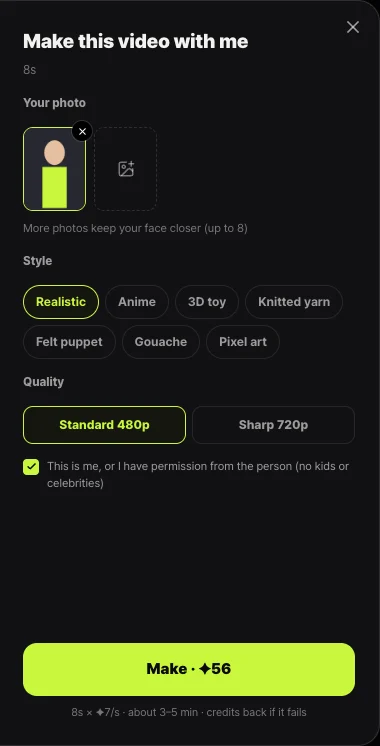
Likeness detection is a YouTube feature, and Shortsmith has no equivalent. The faces Shortsmith deals with are on the other side: ones you make with AI. Viral motion swaps the main figure in a dance video for your photo, and before you make a clip it asks you to confirm the photo is yours or you have permission, and photos of kids or celebrities aren’t allowed.
YouTube’s impersonation policy doesn’t allow using someone’s AI-generated likeness or voice to falsely imply they own or authorize your channel, and it stresses that disclosing AI use is not a free pass. Not using other people’s faces is the surest precaution.
FAQ
Can anyone use likeness detection?
No. It’s experimental and unavailable in some countries, and a channel owner or manager over 18 must verify with a government-issued ID and a selfie video to set it up.
How long does verification take?
Up to 5 days after you submit the ID and selfie video, and you’ll get a confirmation email.
Does it find videos that imitate my voice?
Today it only matches faces. YouTube aims to extend it to audio, and you can report voice misuse through the privacy complaint process.
Will a reported video definitely be removed?
No. YouTube weighs factors such as parody or satire, and you can retract a request using the link in the confirmation email.
How long is my face data kept?
Up to 3 years from your last sign-in unless you withdraw consent or delete your account, and turning the feature off deletes it.
Can I use likeness detection inside Shortsmith?
No, it’s a YouTube Studio feature. Shortsmith’s Viral motion asks you to confirm the photo is yours before making a clip and doesn’t allow photos of kids or celebrities.
Sources
- Likeness detection on YouTube — YouTube Help · checked
- Impersonation policy — YouTube Help · checked