How to post one video to YouTube Shorts, Instagram Reels and TikTok (October 2026)
Shortsmith team · Updated
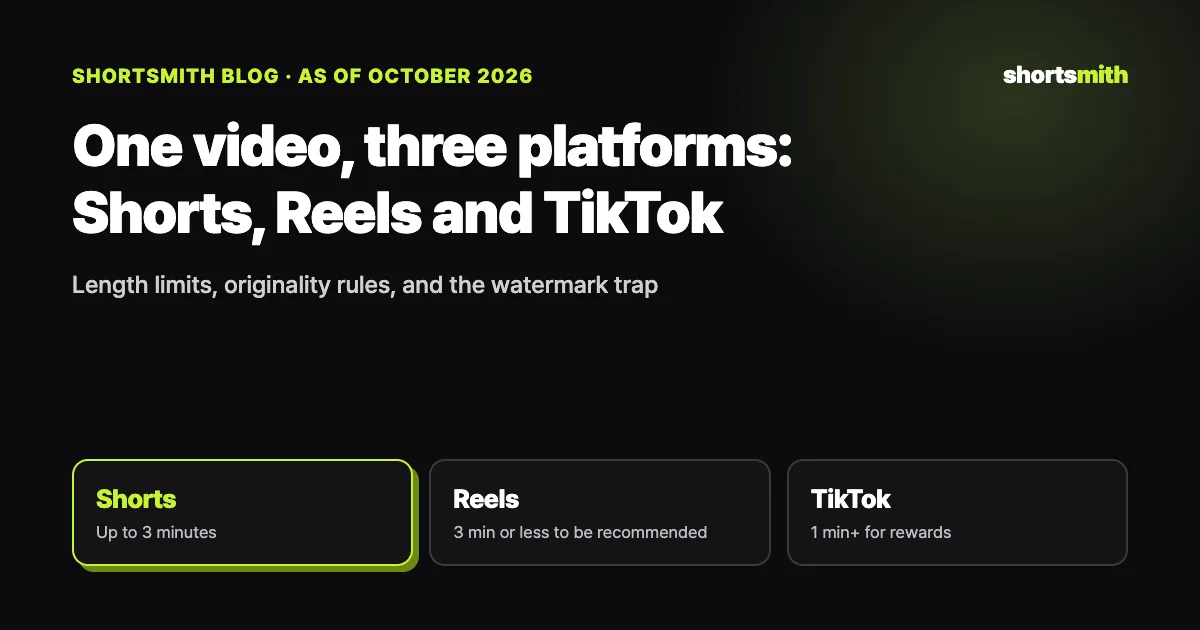
You can post the same vertical video to YouTube Shorts, Instagram Reels and TikTok. If you made it, none of the three platforms forbids it. What changes the outcome is length and the state of the file. YouTube Shorts can be up to three minutes, reels must be three minutes or less to be recommended, and TikTok's Creator Rewards only pay on videos of at least one minute. The length that works everywhere is one to three minutes.
The second rule is to upload the original file. A video downloaded from one app with its logo burned in performs worse on another. We checked the YouTube blog, Instagram's creator blog and help pages, and TikTok's help page on October 12, 2026. This guide puts the length, originality, watermark and AI label rules in one table and shows how to prepare a single video for all three apps with Shortsmith.
At a glance: length and originality rules by platform
| YouTube Shorts | Instagram Reels | TikTok | |
|---|---|---|---|
| Length | Up to 3 minutes (square or vertical, since October 15, 2024) | Up to 3 minutes; longer videos are not recommended | Shorter is fine; rewards need 1 minute+ |
| Originality | Reused content needs a meaningful difference | Reposts without meaningful enhancement cannot be monetized | Rewards only for content you filmed and produced |
| Watermarks | — | Noticeable watermarks are less likely to be recommended | Other people's watermarks make a video non-original |
| AI label | "AI use" setting for realistic AI content | "AI info" label (self-disclosed or detected) | "AI-generated" label for realistic AI content |
Key point
For a video going to all three apps, keep it between one and three minutes, upload the original file without another app's logo, and make sure it is your own work.
Why one to three minutes?
On October 3, 2024, YouTube announced on its official blog that from October 15 creators could upload Shorts up to three minutes long. The change applies to square or taller videos and does not affect videos uploaded earlier. Instagram lets you make reels up to three minutes, but its creator blog states that reels must be three minutes or less to be recommended. That sets the upper limit.
The lower limit comes from TikTok. Creator Rewards only pay on videos at least one minute long. Shorts and reels work fine when they are shorter, but if you want TikTok rewards from the same video it has to pass one minute. A simple split: under one minute for Shorts and Reels only, one to three minutes for all three, and longer than three minutes for TikTok or regular YouTube videos.
Watermarks and reposts: the most common reach killers
Instagram's creator blog says it is less likely to recommend reposts of a reel already on Instagram, content with noticeable watermarks, and accounts that regularly collect and reshare other people's content. TikTok's Creator Rewards also treat videos with other people's watermarks as non-original. Saving a video from TikTok and posting it to Reels, or the reverse, can hurt you on both sides.
The fix is simple: upload the file you exported from your editor to each platform separately, rather than a file downloaded from an app. If you build videos from other people's footage, originality matters more than watermarks. YouTube's reused content policy asks for a meaningful difference between the original and your video, and Instagram and TikTok only treat content as original when your own angle, through commentary or story, is added.
- Do not repost files downloaded from a platform app with its logo
- Upload the original export from your editor to each platform
- When using other people's footage, add a meaningful difference with commentary, a question and a story order
Layout: the spots none of the three apps cover
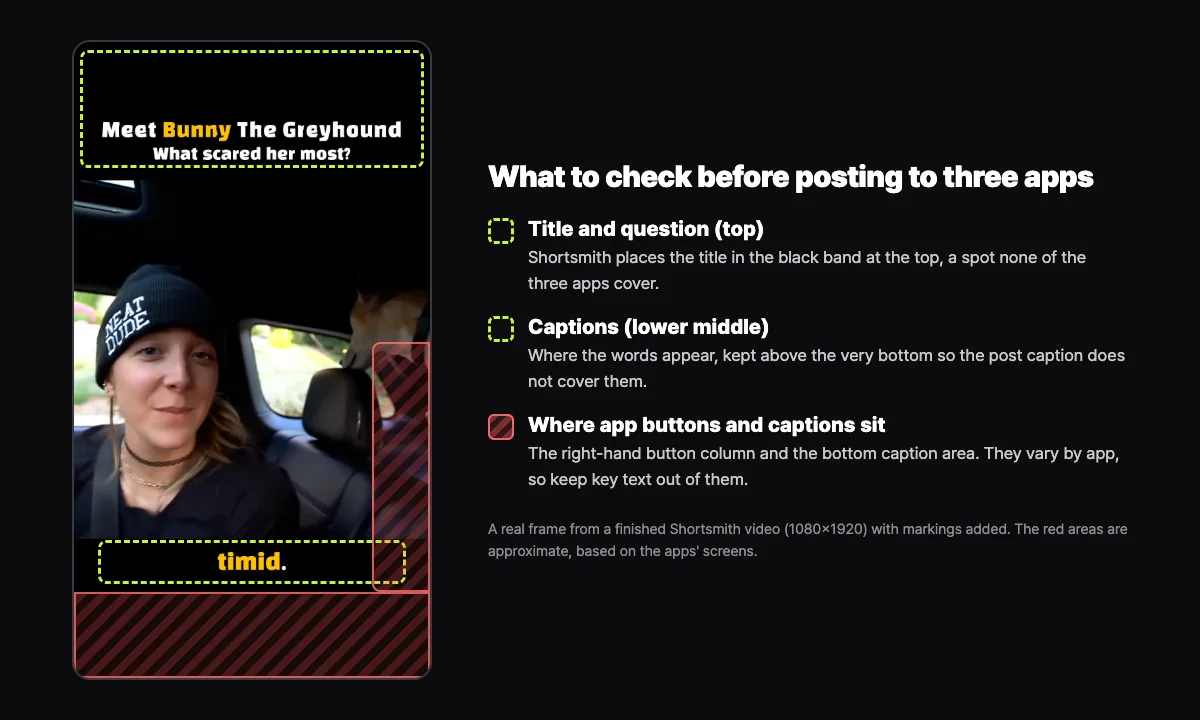
All three apps place buttons and captions over the video. A column of like, comment and share buttons sits on the right, and the account name and caption sit at the bottom. Their exact positions vary by app, so if you post the same file everywhere, keep important text near the top and in the lower middle of the frame.
Shortsmith places the title and question in a black band at the top and the captions in the lower middle. The image below marks those areas on a real finished frame. The red areas are approximate ranges based on the apps' screens.
Preparing one video for three apps with Shortsmith
Write titles and hashtags separately for each platform. YouTube rewards a searchable title, Instagram leans on the first line of the caption and search keywords, and TikTok depends on the first shot and a short caption. The video file can stay the same while the text changes for each app.
- Add a long video link or your own video file, and choose one of the three story angles Shortsmith suggests.
- Make it as a cut edit (original audio plus title and captions) or as a script with AI narration.
- Check the length in the editor. For TikTok rewards, add a scene or extend a clip to pass one minute, and stay under three minutes.
- Download the finished file (1080×1920 MP4). It has no other app's logo.
- Post to YouTube from Shortsmith (now or scheduled) and to Instagram from Shortsmith, and upload the downloaded file to TikTok in its app.
- If you used AI narration, turn on each platform's AI disclosure.
FAQ
Will posting the same video on three platforms be penalized as duplicate content?
Posting your own video to each platform is fine. Problems usually come from uploading a file with another app's logo or reposting someone else's video unchanged. Upload the original file to each platform separately.
Which platform should I post to first?
There is no official order. Instagram is less likely to recommend reposts of a reel already on Instagram, so the important thing is not to post the same video twice within Instagram.
Can I post videos shorter than one minute to TikTok?
Yes. Creator Rewards only pay on videos of at least one minute, so many creators use short videos to grow and longer ones to earn.
Can Shortsmith post to TikTok directly?
Not yet. Shortsmith connects to YouTube (post now or schedule) and Instagram (post now). For TikTok, download the finished file and upload it in the TikTok app.
Sources
- Tall updates coming to Shorts (October 3, 2024) — YouTube Official Blog · checked
- Tips for Improving Your Reach — Instagram Creators blog · checked
- Instagram Reels — Instagram · checked
- Creator Rewards Program — TikTok Help Center · checked
- YouTube channel monetization policies (reused and inauthentic content) — YouTube Help · checked
- Disclosing use of altered or synthetic content — YouTube Help · checked