When your YouTube channel is hacked: recover the Google Account, clean up the channel, and lock it down (October 2026)
Shortsmith team · Updated
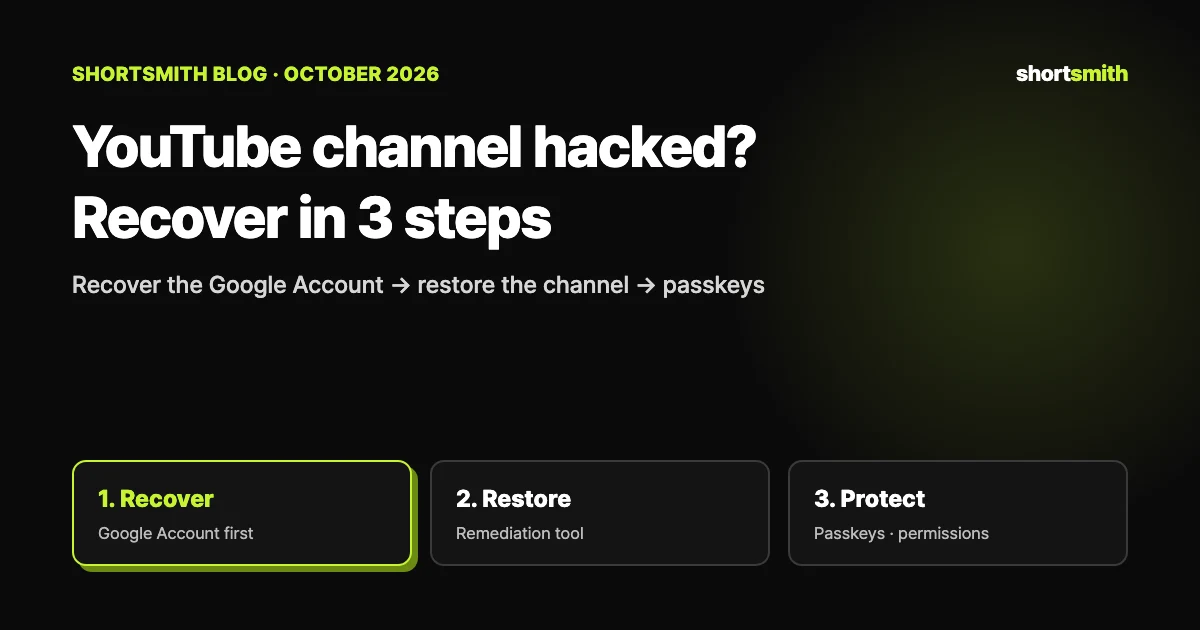
Every YouTube channel is linked to one or more Google Accounts, so a hacked channel means a hacked Google Account. That sets the order: (1) recover and secure the Google Account first, (2) undo the hacker’s changes with Studio’s cleanup tool or a manual review, and (3) lock things down with passkey 2-Step Verification and tidy permissions. YouTube only supports suspected hacks from the last nine months, so move quickly.
We checked YouTube Help’s “Recover a hacked YouTube channel,” “Clean up a hacked YouTube channel,” “Secure your YouTube channel” and “YouTube Partner Program overview & eligibility” on October 27, 2026.
Signs your channel was hacked
If you see changes you didn’t make, like these, your Google Account may have been hacked, hijacked or used without permission:
- Your profile picture, description, email settings, AdSense for YouTube link or sent messages are different
- Videos you didn’t upload appear on your channel — and you may get penalty or strike emails because of them
How accounts usually get in
Malware and phishing (scam emails posing as services you know) are the usual culprits. Malware often arrives as a password-protected archive containing a file ending in .scr or .exe, via links in spam or fake sponsorship and brand-deal emails, programs from untrusted sources, or fake software updates.
Step 1: get the Google Account back
If you can still sign in, update your password and secure the account right away. If you can’t, follow the Google Account (Gmail) recovery steps, answer the verification questions in as much detail as you can, and when prompted, reset to a strong password you’ve never used on that account. Ask other channel managers or owners to secure their own accounts the same way.
If your channel was terminated because of the hack, recover the account first, then appeal using the form in the email about the termination in your inbox. Appeals may not be approved if account recovery isn’t complete.
There’s a time limit
Under YouTube’s data retention policies, only suspected hacks from the last nine months are supported; after that, recovering the channel may not be possible. Eligible creators (such as YPP members) who have recovered their account can contact Creator Support; otherwise, reach out to @TeamYouTube on X.
Step 2: undo changes with Studio’s cleanup tool
When YouTube detects unusual activity on your channel, a notification for the cleanup tool appears in YouTube Studio. Only channel owners and managers can use it; it lists the changes so you can review them together and undo the ones you didn’t make.
- On a computer, go to the cleanup tool in Studio and click Start review.
- Check activity: tick only the changes you made. If you made all of them, click I made all changes.
- Review plan: see what YouTube will do under How we’ll fix this.
- Check permissions: review who has access to the channel and update roles or remove access.
- Submit: finish any remaining steps and click Submit.
After you submit
Changes are usually made within a few hours, and you’ll get an email with a link to track the request. You can edit your review until the date in the email (usually 30 days after submitting) — changes marked authorized can be edited, but changes marked unauthorized can’t be undone.
No tool? A manual checklist
If you can’t use the cleanup tool, undo things yourself. Hackers most often touch uploads, channel permissions and channel info. Even after using the tool, finish with this checklist.
- Hacker uploads: delete them if they have no strikes or copyright claims; if they do, don’t delete — contact YouTube to start an investigation
- Check the Dashboard for new Community Guidelines strikes and contact YouTube if there are any
- Remove unknown users’ channel access (for Brand Accounts, remove them from the Brand Account)
- Restore channel name, handle, profile picture and banner quickly so the channel isn’t permanently suspended for trademark infringement
- Video visibility (hackers may hide existing videos) and the latest comments made by your channel
- Playlists, custom thumbnails, subscriptions, and AdSense and Content Manager settings
Step 3: keep it from happening again
Stolen passwords are one of the most common ways accounts are taken over. A strong password plus 2-Step Verification adds a second gate, and YouTube recommends passkeys as the second step because they offer the strongest protection against phishing. 2-Step Verification is also a requirement for joining the YouTube Partner Program.
- Turn on Enhanced Safe Browsing in Chrome to scan downloads for malware (antivirus may miss some encrypted files)
- Add a recovery phone number and email address
- Never share passwords or sign-in details
- Use a separate email for your YouTube channel from your other services
| 2-Step Verification method | How it works | Security (per YouTube) |
|---|---|---|
| Passkey | Fingerprint, face scan or phone screen lock | Strongest against phishing |
| Security key | A physical authentication device | Strong against phishing |
| Google Prompts | A notification on your phone | More secure than text codes |
| Google Authenticator | App that makes one-time codes offline | — |
| Phone verification codes | Codes by text or call | Less secure |
| Backup codes | Codes you download or print | Less secure |
Running it as a team: only the access people need
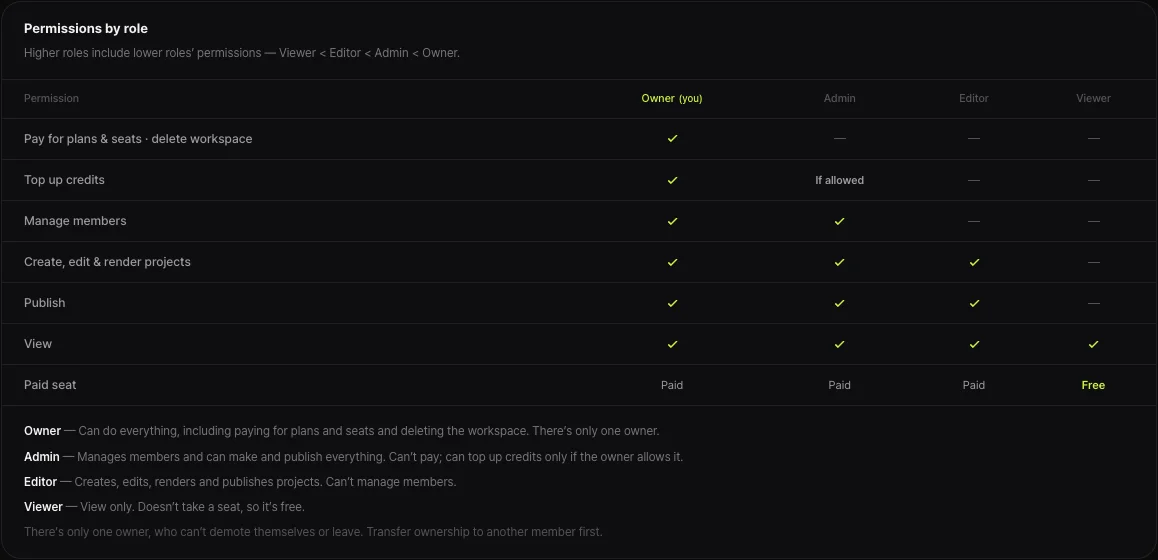
YouTube notes that channels often have more than one manager and recommends using channel permissions and Brand Account tools to give approved accounts only the access level they need, without sharing sign-in details. That way, if one person’s account is compromised, the damage stops at their permissions.
Shortsmith works the same way. You connect a YouTube channel by granting upload and channel management permissions in Google’s own sign-in window, so your Google password is never entered into Shortsmith, and teammates are invited with their own accounts and given only the role they need: owner, admin, editor or viewer. People who don’t handle billing or members are fine as editors or viewers.
FAQ
My channel was hacked. What do I do first?
Start with the Google Account, not the channel. Recover and secure it, undo changes with Studio’s cleanup tool or manually, then set up passkey 2-Step Verification.
What if the hacker’s uploads got strikes?
Don’t delete videos with strikes or copyright claims — contact YouTube to investigate. Delete hacker uploads that have neither.
My channel was terminated after the hack.
Recover your Google Account first, then appeal with the form in the email in your inbox. Appeals may not be approved if recovery isn’t complete.
Can an old hack still be fixed?
YouTube only supports suspected hacks from the last nine months; older cases may not be recoverable.
Which 2-Step Verification method is best?
YouTube recommends passkeys, the strongest protection against phishing. Phone codes and backup codes are less secure.
I don’t see the cleanup tool.
Its notification only appears when unusual activity is detected, and only owners and managers can use it. Otherwise, fix uploads, permissions and channel info manually.
Sources
- Recover a hacked YouTube channel — YouTube Help · checked
- Clean up a hacked YouTube channel — YouTube Help · checked
- Secure your YouTube channel — YouTube Help · checked
- YouTube Partner Program overview & eligibility — YouTube Help · checked