A/B test YouTube titles and thumbnails — requirements, steps and why there may be no “best option” (November 2026)
Shortsmith team · Updated
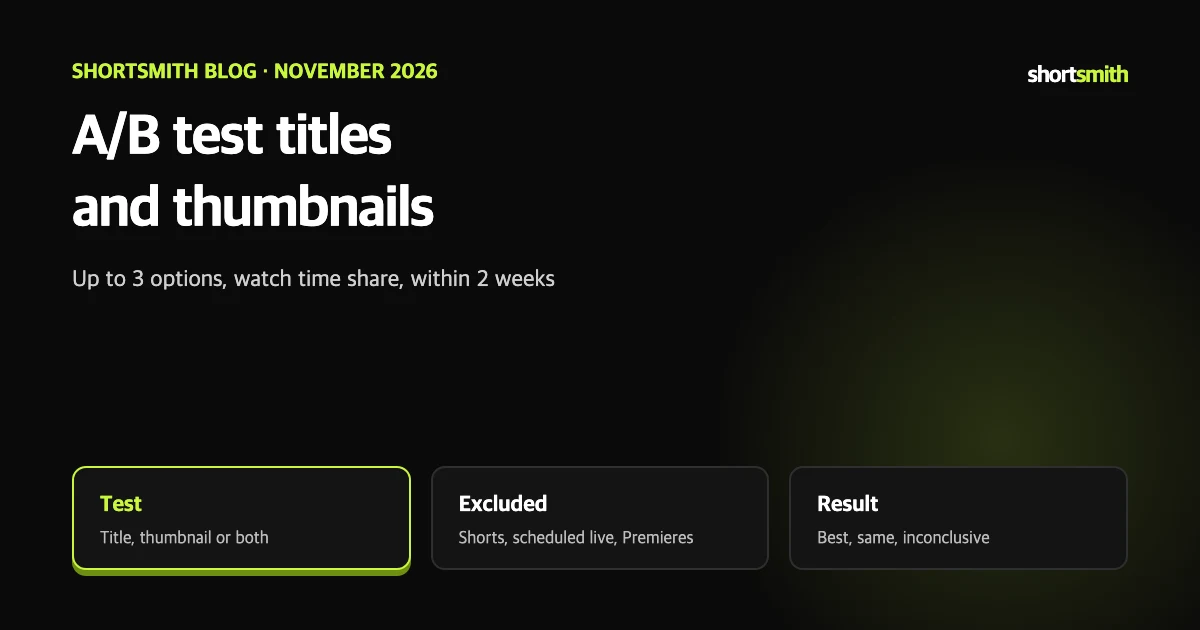
Thumbnails and titles decide whether a video gets clicked, but you rarely know which version is better until you try. YouTube Studio’s A/B test shows up to three versions to different viewers and applies the one with the most watch time to everyone.
This post summarizes YouTube Help’s “A/B test titles & thumbnails” as read on November 8, 2026. Some language versions call the feature “Test & compare thumbnails”.
Who can use the test
A Premiere can be tested after it ends and becomes a regular long-form video. Shorts are not currently eligible.
| Item | Requirement |
|---|---|
| Where | YouTube Studio on a computer only (for now) |
| Account | Advanced features must be turned on |
| Video type | Not available for Shorts, scheduled live streams or Premieres; live archives can be tested |
| Content limits | Not for made-for-kids, age-restricted or private videos |
| Age-restricted uploads | Uploading 18+ content without marking it may cost you the feature |
Run a test
- Sign in to YouTube Studio.
- For a new video choose Create then Upload videos; for an existing one open Content and select the video.
- Select A/B testing under the title box or the thumbnail.
- Choose Title only, Thumbnail only or Title and thumbnail.
- Upload up to three titles or thumbnails to test.
- Select Done. Tests finish within two weeks.
Editing mid-test stops it
If you change the title or thumbnail yourself during a test, it stops automatically and you must restart it.
Check, stop and read the results
Open Analytics, then the Reach tab, and use Manage test under A/B testing progress to review current results or stop at any time. When it ends, results appear on the video’s details page or the same Reach tab. The measure is watch time share, not click-through rate.
| Result | Meaning | What happens |
|---|---|---|
| Best option | Clearly higher watch time share, judged statistically significant | That option shows to all viewers |
| Performed the same | Little difference between options | Pick the one you prefer |
| Inconclusive | No statistically clear difference in engagement | The first title/thumbnail uploaded becomes the default; you can change it any time |
The control group and the missing “best option”
YouTube may keep a small share of traffic out of the experiment as a control group. Those viewers see only the default title and thumbnail, and their performance is excluded from the calculation.
Not getting a “best option” is normal. It can mean the difference between options was too small to measure. The help page treats it as information — either version is fine — rather than a failure.
Tips
- Pick videos carefully: some versions may do worse, so YouTube suggests trying older videos to limit the effect on channel views.
- Make options clearly different: titles and thumbnails that are too similar take longer to separate.
- Allow time: depending on impressions and publish timing, tests take from a few days up to two weeks.
- Upload high-resolution thumbnails: if any thumbnail is below 720p (1280x720), all test thumbnails are downscaled to 480p (854x480).
Making titles and thumbnails worth testing
YouTube describes two directions: searchable titles that clearly describe the content, and intriguing titles that spark curiosity. An A/B test is a good way to learn which suits your audience. The help page also suggests checking click-through rate in Home and Suggested during the first 24 hours after publishing, and in the subscription feed for subscribers.
- Accuracy: a title must reflect the video. Otherwise viewers may leave and discoverability can suffer.
- Brevity: viewers may see only part of a title, so put the most important words first and episode numbers and branding last.
- Avoid excess capitals and emoji; use them carefully for emphasis.
- For thumbnails, use the rule of thirds for an interesting image, overlay branding and descriptive text in an easy-to-read font, and keep it uncluttered.
- Thumbnails display differently across devices, so make the image as large as possible.
Using it with Shortsmith thumbnails
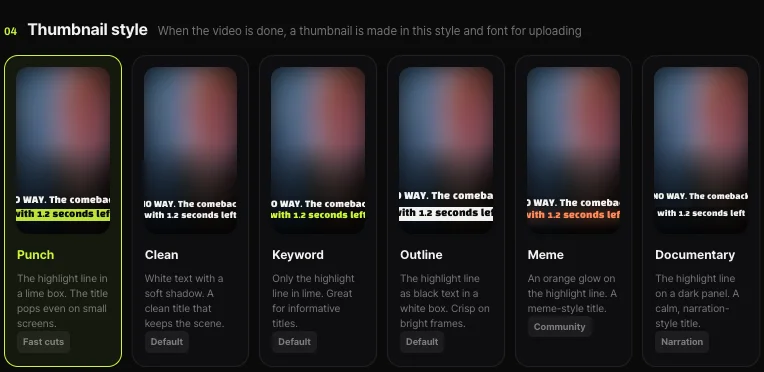
If you make a long-form video in Shortsmith, you can pick two or three different thumbnail styles from its templates (Punch, Clean, Keyword highlight, Outline, Meme, Documentary) and upload them to an A/B test. Choose the templates in Shortsmith and run the test in Studio.
Test summary
For a first test, remember these seven lines.
- Only in Studio on a computer, and only on accounts with advanced features.
- Shorts, scheduled live and Premieres are excluded; live archives are allowed.
- Pick title only, thumbnail only or both and compare up to three.
- The measure is watch time share, not click-through rate, and tests usually end within two weeks.
- Outcomes are best option, performed the same, or inconclusive.
- Changing the title or thumbnail yourself mid-test stops it.
- If any thumbnail is below 720p, all are downscaled to 480p.
How to check whether the help pages have changed
YouTube Help updates its documents whenever a feature changes, and translations lag by language, so the Korean and English versions can differ slightly. The figures and conditions here come from pages read on November 8, 2026 and may have changed since.
Before making an important decision, open the original links under Sources and compare them with what you see now. Eligibility rules, time limits and numeric caps change most often. If a menu name looks different, look for a similar item in the same place; if it is missing, the feature may not be enabled for your account yet. Statements about Shortsmith reflect its screens and code as of November 2026.
FAQ
Can I A/B test Shorts?
No. Shorts are not currently eligible.
How many versions can I compare?
Up to three titles or thumbnails.
What decides the winner?
Watch time share, not click-through rate.
What if I edit the title during a test?
The test stops automatically and must be restarted.
Does it work on my phone?
For now only in YouTube Studio on a computer.
Sources
- A/B test titles and thumbnails — YouTube Help · checked
- Thumbnail & title tips — YouTube Help · checked